Understanding and Troubleshooting 3D Model Rendering
Last updated: November 2, 2026
Check the rendering progress and the 3D Model panel when a maintenance-hole model is not ready or does not look complete.
Which inspections have 3D models
Models use supported MACP 360 footage. MACP Level 1 and ordinary flat MACP videos are not rendered. Availability also depends on account configuration and the upload or processing path.
Check rendering progress
- Find the inspection on the Inspections page.
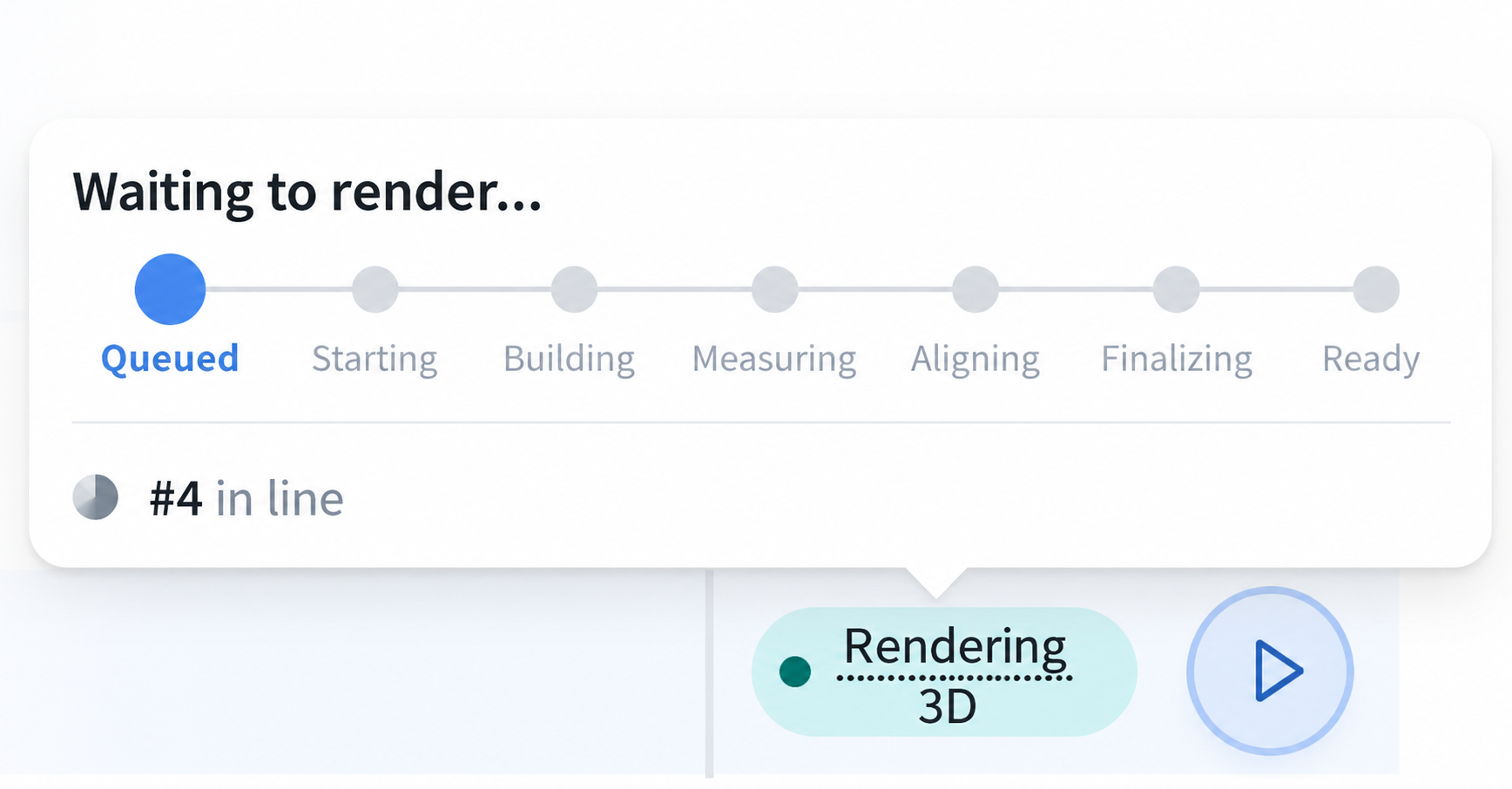
- Hover over the Rendering 3D status when it is shown.
- Read the current step and any message.
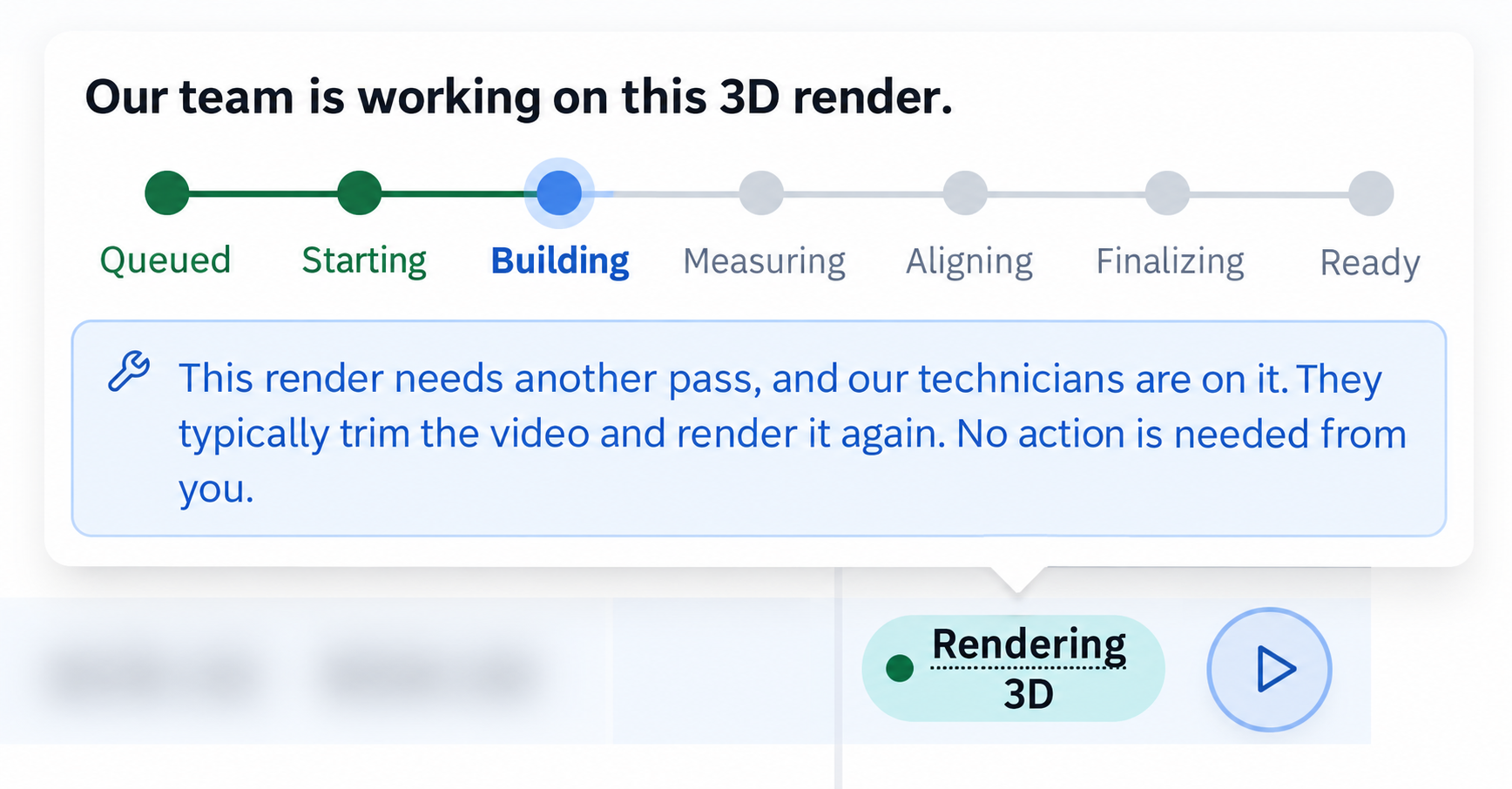
The tooltip can show Queued, Starting, Building, Measuring, Aligning, Finalizing or Ready. A queued job may show its place in line.
The Review badge uses 3D Rendering. Inspection status and model availability are separate: a higher-priority AutoCode status can remain visible while model processing continues. There is no separate generic Complete rendering status.
Check the model
- Open the inspection.
- Select 3D Model.
- Check whether the model is available and whether the required area is visible.
If the model is incomplete, record the affected area and any relevant video time. Extra footage, camera movement, lighting or an obscured lens can affect the result.
If processing needs attention
Record the tooltip text, including a stopped, retrying or repair message. A repair-in-progress message can say that technicians are working on the render and no action is needed from you.
Eligible Editors and Admins can choose a range for a new model with Trim for 3D render. Other restart or repair requests go through support.
When to contact support
Contact support if 3D rendering takes longer than 24 hours.
Include the inspection link, the status and tooltip message, the model issue, and any trim range you submitted.
Still Need Help?
Use the chat widget in PIONEER to contact our support team.
If you cannot access the chat widget, email help@sewerai.com.