Pioneer Desktop 9.8 Is Here: Update Your Trucks
Last updated: November 17, 2026
Catch bad recordings before you leave the manhole, find the right inspection by parking next to the pipe, and see exactly what made it to the cloud.
Pioneer Desktop 9.8 adds recording checks, GPS-powered Nearby inspections, a customizable review screen, and clearer sync and uploads. If your trucks are on an older version, here’s what you’re missing and how to update.
Pioneer Desktop 9.8 Is Here
If your trucks are still on an older version of Pioneer Desktop, they’re missing some of the biggest field improvements we’ve made this year. Version 9.8 is built around the problems crews tell us about most: recordings that turn out bad after the truck has left, hunting for the right inspection, and wondering whether uploads actually made it.
Catch a bad recording before you pack up.
Pioneer now checks every recording as soon as it finishes. If the video is corrupted, stutters, or can’t be fully checked, a warning appears while the crew is still on site. When Pioneer knows the fix, it offers a recommended setting you can apply with one click.
You’ll also see:
A Recording quality at risk badge if the truck PC falls behind while recording
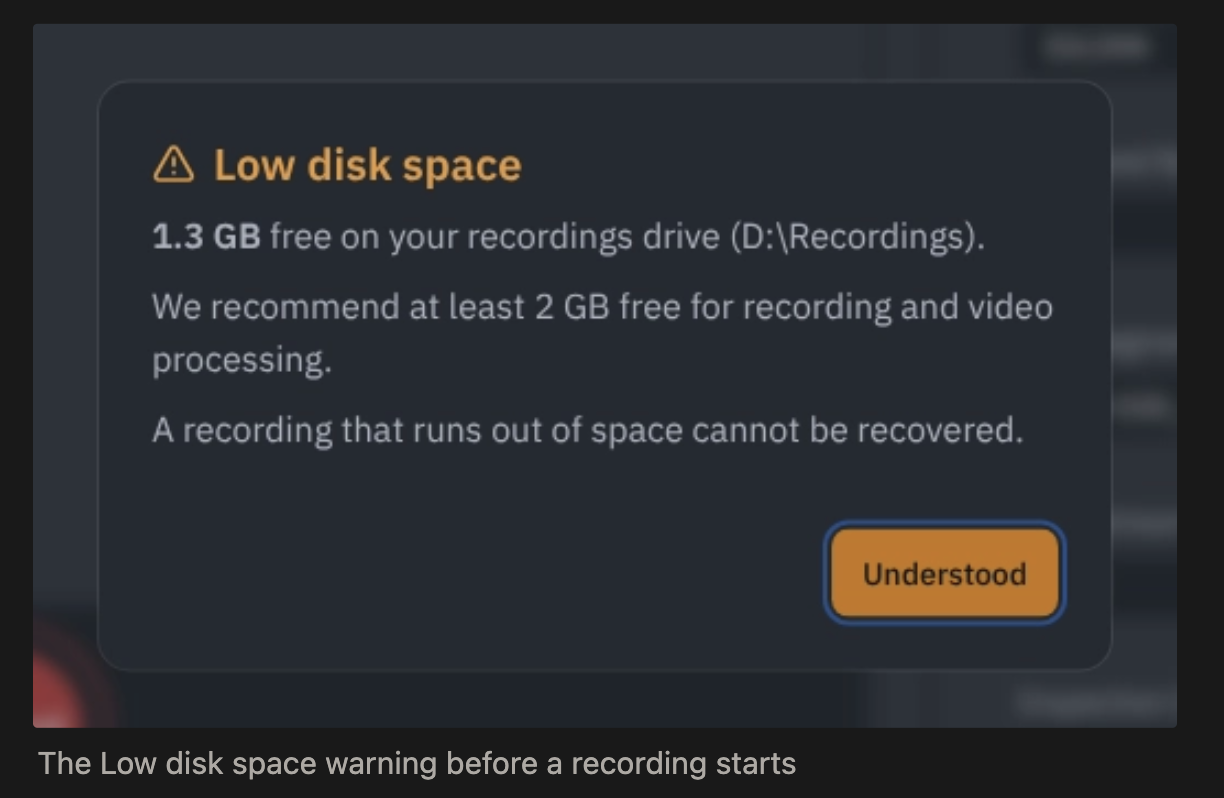
A Low disk space warning before recording starts, so a recording doesn’t stop partway when the drive runs out of space
No more finding out back at the office that a video has to be re-shot.
Find the inspection for the pipe you’re parked on
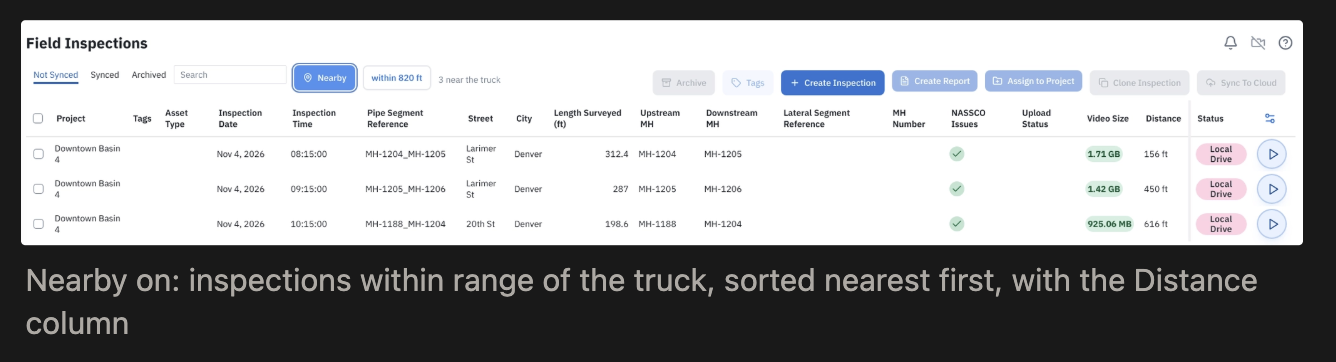
Connect a GPS receiver in Truck Settings, wired to the truck PC or shared over the network. A live status dot turns green once you have a location fix.
Then turn on Nearby in Field Inspections. Pick a radius, and the list sorts nearest first, so the pipe in front of you is at the top. It works offline too, because inspections downloaded to the truck carry their map location.
Arrange the review screen your way
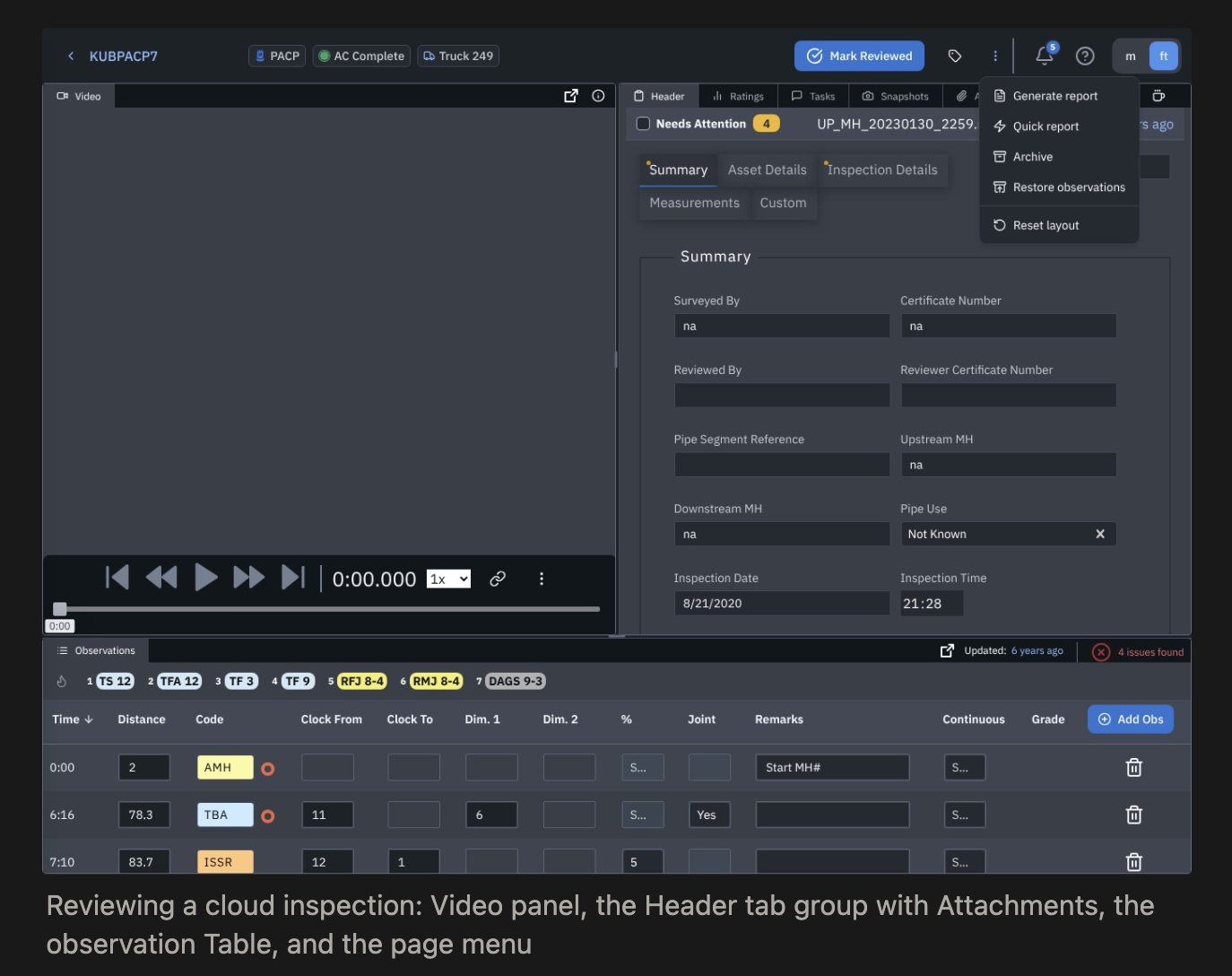
The review screen now uses panels you can move around: Recorder or Video, the observation table, and tabs for Header, Ratings, Tasks, Snapshots, and Attachments. Drag them into the layout that suits the job. The truck remembers it, and Reset layout brings back the default anytime.
If you record with IBAK, SoftControls now opens right inside the Recorder panel instead of a separate window.
Know what made it to the cloud
Live sync progress: watch inspections upload as they go
Retry button: failed inspections stay on the list with the reason and a Retry button
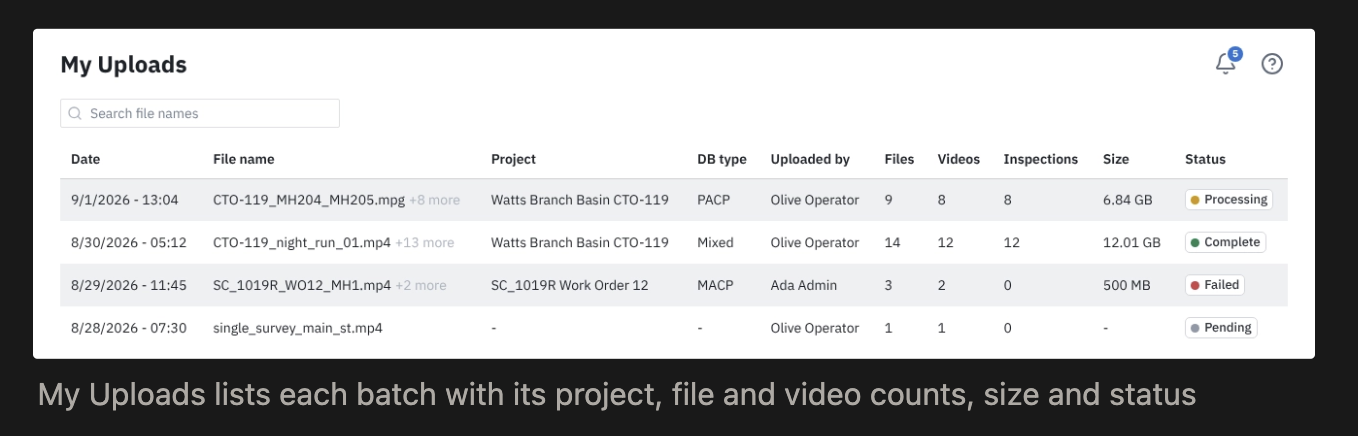
My Uploads: a full history of every batch, with its project, file count, size, and status
No more calling support to ask whether something uploaded.
More hardware support
GPS receivers (NMEA 0183, wired or network)
SightCore and PipeTech PII
Video switchers for moving between camera sources
Incline reporting on Envirosight trucks
A cleaner, faster app
Side menu: grouped into clear sections so every tool has a home, with your account and any available updates at the bottom
Inspections page: filters and saved bookmarks sit at the top, and coming back from an inspection keeps your place
Startup: a loading screen on launch, faster startup, and recordings that can’t get stuck processing
Your work stays put: saved work survives leaving an inspection early, and the truck PC stays awake during an inspection.
Help in the app: a support chat right in Pioneer
How to update
Open Pioneer Desktop on the truck.
Look at the bottom of the side menu. When an update is ready, it shows there.
Click it to install.
Pioneer checks for updates every hour. If your company installs Pioneer through IT (MSI install), the app will tell you to contact your IT administrator instead of updating itself. Send them this article.
For IT administrators: 9.8 includes a per-machine MSI installer for central deployment, a download that’s about 860 MiB smaller, and a desktop shortcut. It requires the .NET 8 runtime.
Questions?
Use the support chat in Pioneer or email support@sewerai.com. To ask about add-ons like Command Center and Risk & Rehab, contact your account manager.