Manage Your Team with Greater Control
Last updated: July 23, 2026
🔑 Add, Remove, Reassign — No Ticket Required
Hiring a new inspector. Removing a former team member. Updating a role so the right person can finally upload data. Until now, all of these tasks meant submitting a ticket and waiting for help from our Customer Enablement team.
Not anymore. With the new Account Settings experience in PIONEER, admins can manage users, roles, and account details themselves, no ticket required.
Before: One Long Page
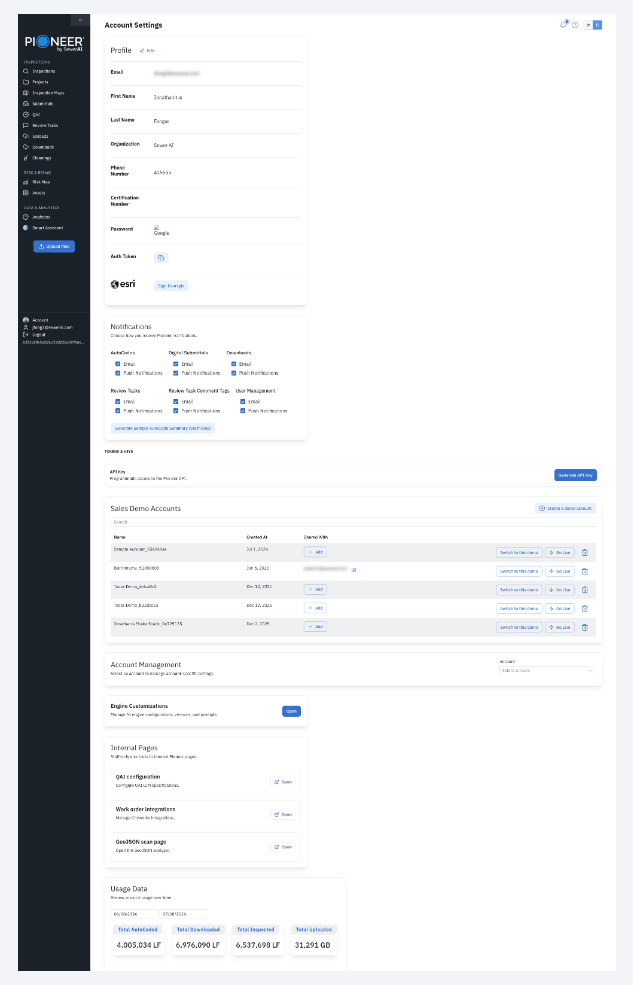
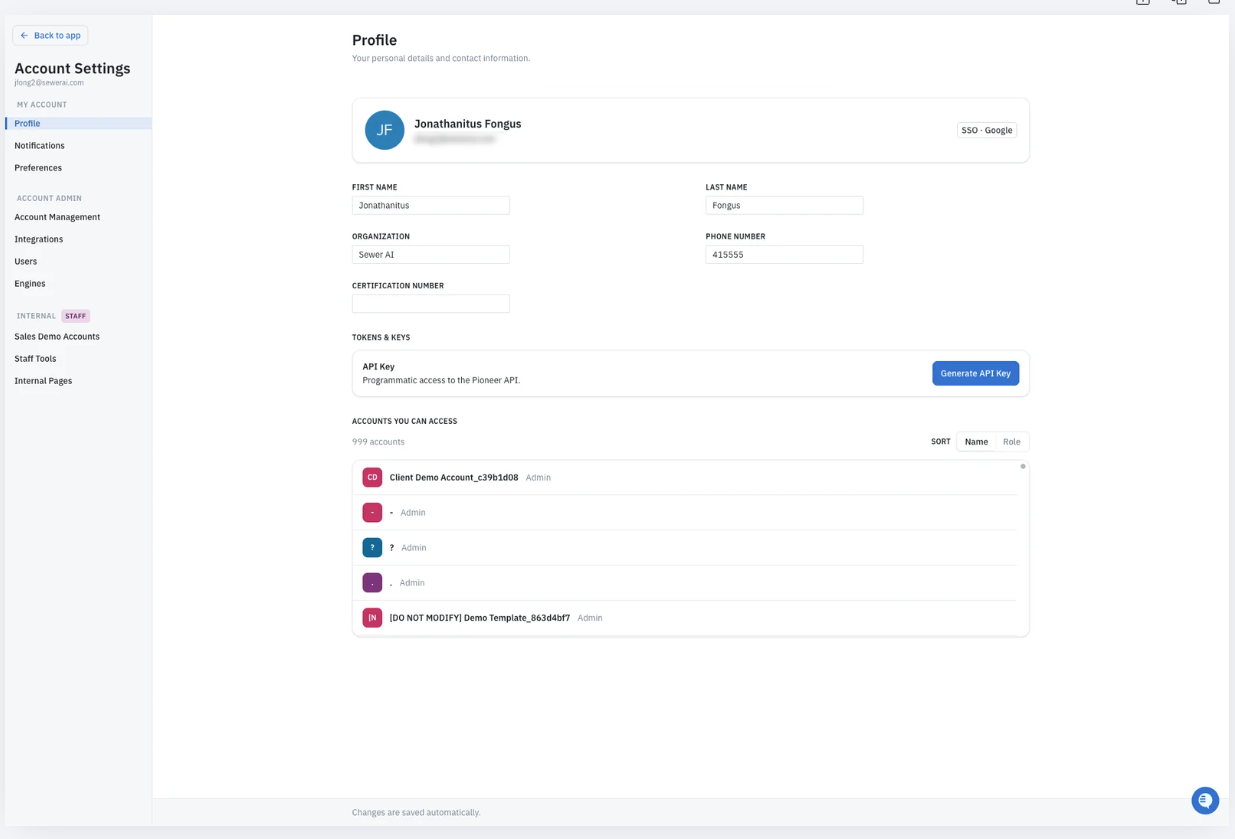
After: a dedicated settings workspace.
💡 Why This Matters
As PIONEER has grown, so have our customers’ teams with more inspectors, more crews, and more accounts to manage. You’ve told us you want greater control over that growth: better visibility into user access, easier ways to manage users at scale, and more flexibility in assigning roles. We heard you, and this release lays the foundation for delivering exactly that.
Today’s update puts admins in charge of their own teams. In the future, this page will also include billing information, self-serve seat purchasing, and more. Consider this the first step in a much bigger evolution of how you manage your account.
🔧 What’s New
The biggest change is structural: your account settings now live in a clean, section-based navigation that grows with you as more capabilities get added over time. Everything you could already do is still there, it's just easier to find.
For every user:
Profile: Manage your name, email, password, and API key (no changes here).
Notifications: Control how and when you receive alerts.
Preferences: The new home for your imperial/metric unit switcher, with more options coming soon.
All Accounts (new): See every account you have access to in a single view, no more guessing or asking.
For account admins:
User Access: Invite, edit, or remove users and assign roles (Viewer, Uploader, Editor) within your seat count, all from one convenient table.
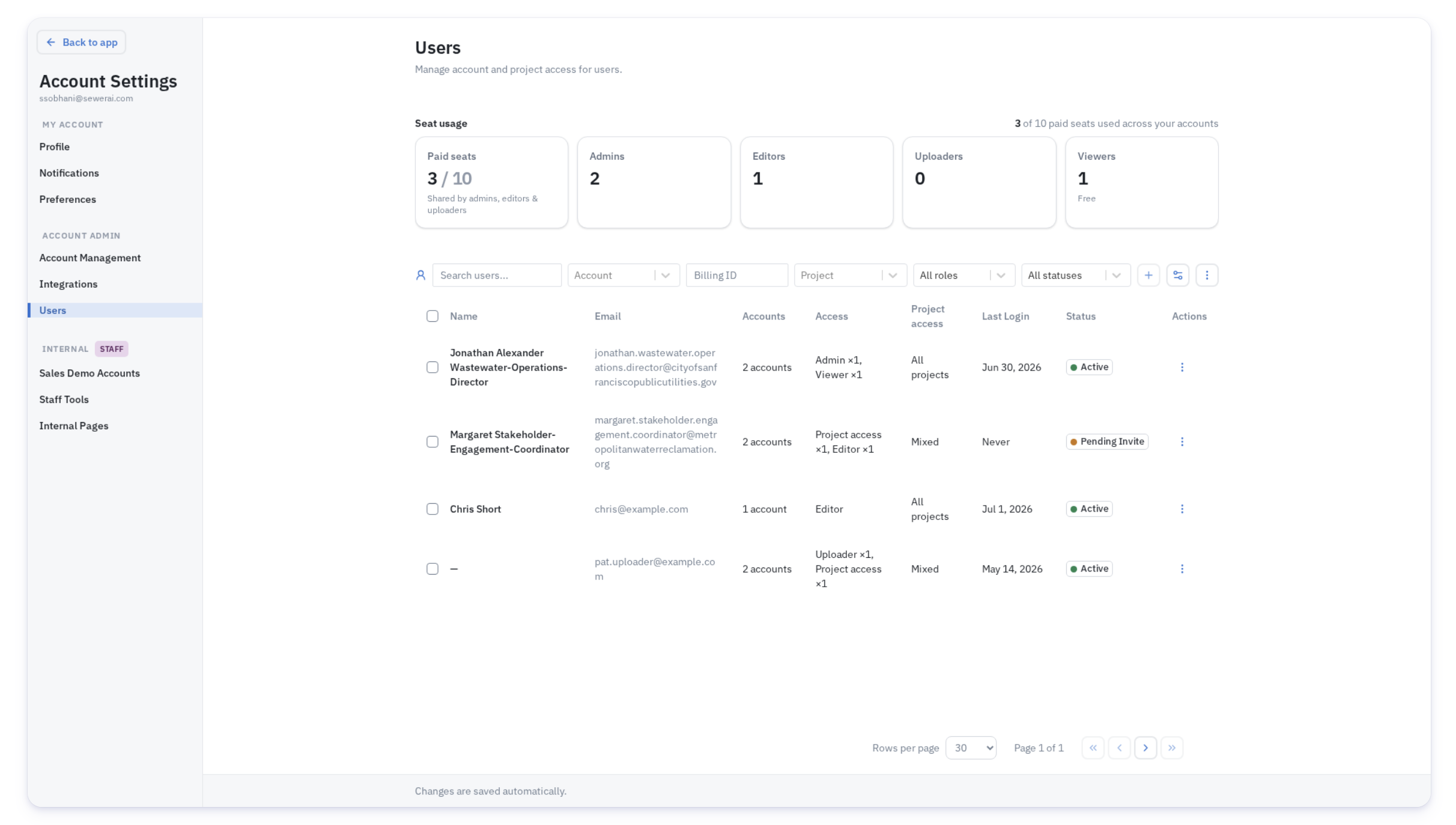
Account Details: Update your account logo and view usage statistics.
Integrations: Manage your Esri/ArcGIS and CMMS credentials in one centralized place.
📌 What to Keep in Mind
Adding Seats: Admins can manage users within their current seat allocation, but adding more seats still requires going through your Account Manager and the usual purchase order process. This hasn’t changed.
Account-Based Roles: User access is set per account. If you belong to multiple accounts, your role (Admin, Editor, Uploader, or Viewer) can be different for each one. For example, you might be an Admin on one account and a Viewer on another.
No Changes to Data or Workflows: This update is a reorganization and visual refresh, your data and workflows remain the same. If you can’t find a setting, check the new navigation menu; it may have moved to a new section.
🎥 See It In Action
We put together a full click-through walkthrough of the new Account Settings experience: