Saved Layouts on the Video Review Page
Last updated: November 2, 2026
The tabbed Inspection Review workspace saves panel arrangements automatically in the browser you are using. Use it to keep your review panels arranged for the work at hand.
What is saved
Moving tabs, stacking panels and resizing panel groups updates the local arrangement. The layout belongs to that browser’s site data. It is shared by people who use the same browser profile and is not an account-synced preference.
Do not expect the arrangement to follow you to another browser or computer. Clearing PIONEER site data removes the locally saved layout. The workspace keeps arrangements for different review module groups, but if the wrong panels appear after changing inspection types, restore the default layout for the inspection you are reviewing.
Arrange the workspace
Drag a tab to move or stack it, and drag the divider between groups to resize them. Use the square-arrow Open in new window control to pop out a group. Close that window to return the group to the review page.
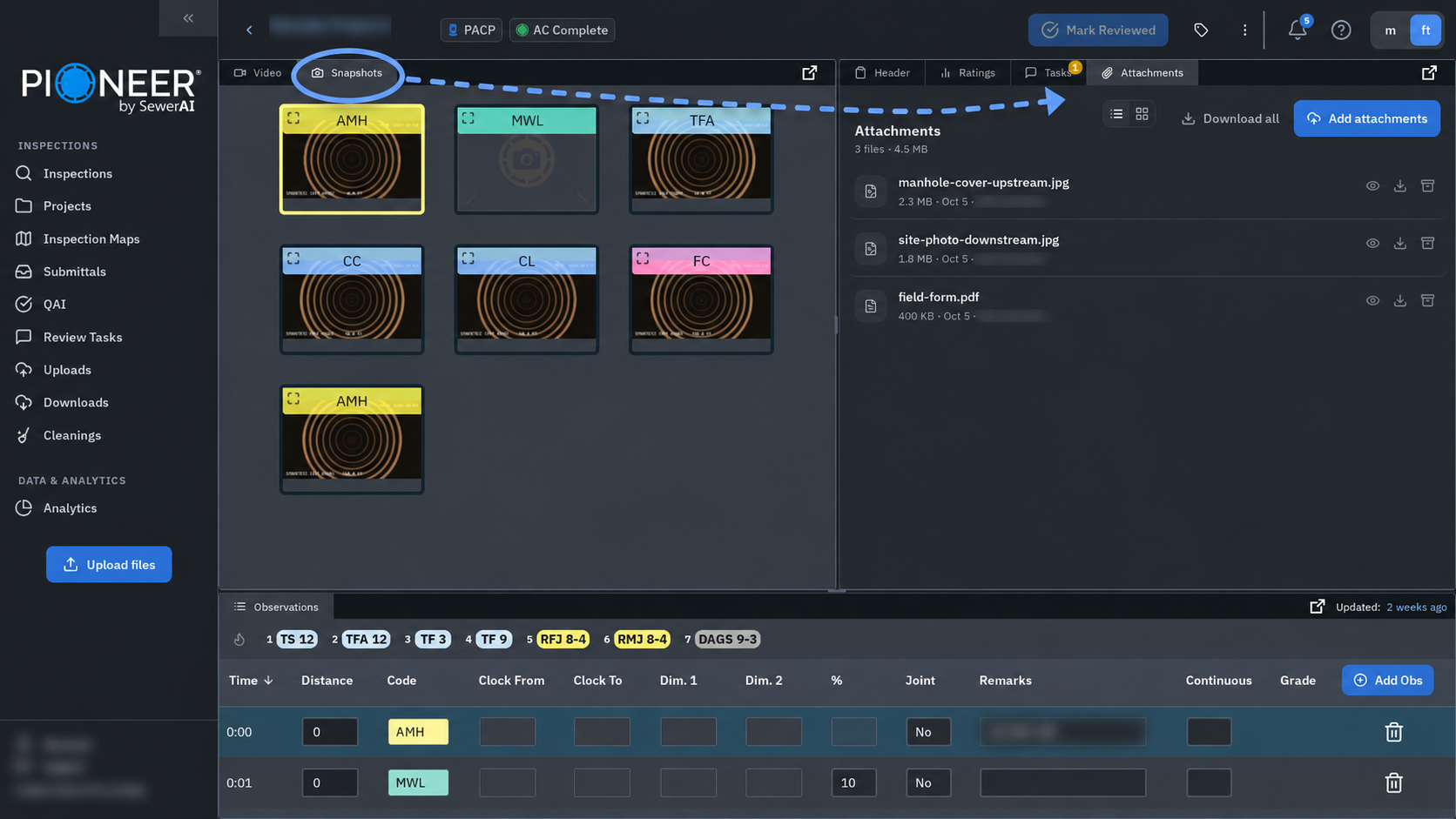
The tabbed workspace does not include a + control to create named layouts or a menu to switch between multiple named arrangements. Named layouts from the classic workspace are not imported into it.
Restore the default layout
Open the individual inspection’s review page.
Open More options (⋮) in the upper-right corner.
Select Reset Layout.
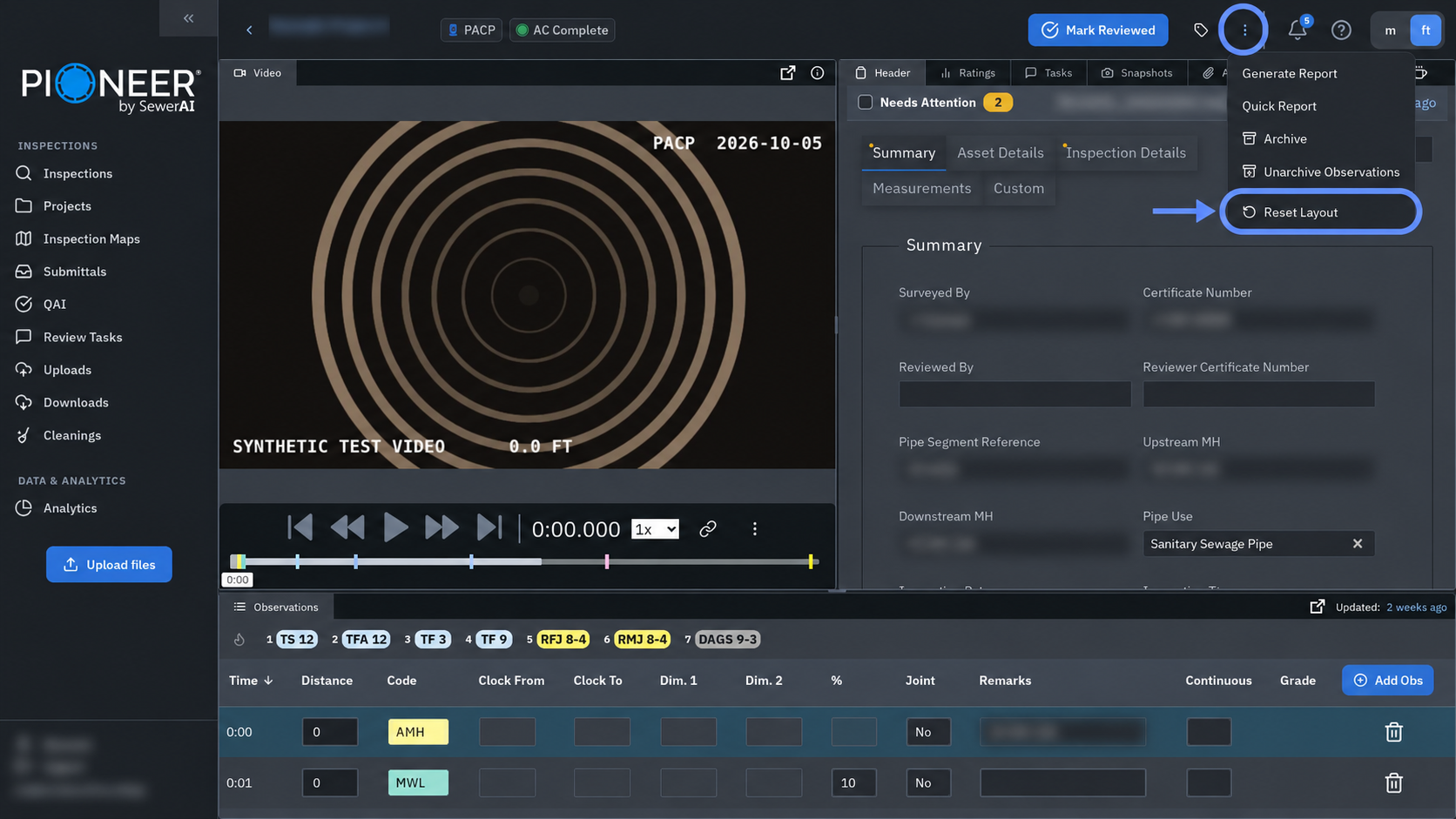
On the web, this immediately replaces the current panel arrangement with its default. It does not edit the inspection’s header, observations or video. This control is inside Inspection Review, not the main Inspections list.
If the control is unavailable or a panel remains missing, contact support with the inspection link, the missing panel name and your browser. For more workspace controls, see The New Inspection Review Page.
Still Need Help?
Use the chat widget in PIONEER to contact our support team.
If you cannot access the chat widget, email help@sewerai.com.