The New Inspection Review Page
Last updated: March 26, 2026
The new Inspection Review page introduces a cleaner design and more flexible workspace controls so you can review inspections in a layout that works best for you.
Video Overview
https://www.loom.com/share/8d2a978eb94b4b7e8fccdecb09febf97
Customize Your Workspace Layout
You can organize the review page to match how you prefer to analyze inspections.
Drag and Snap Panels
Drag any section to move it and snap it into a new position on the page.
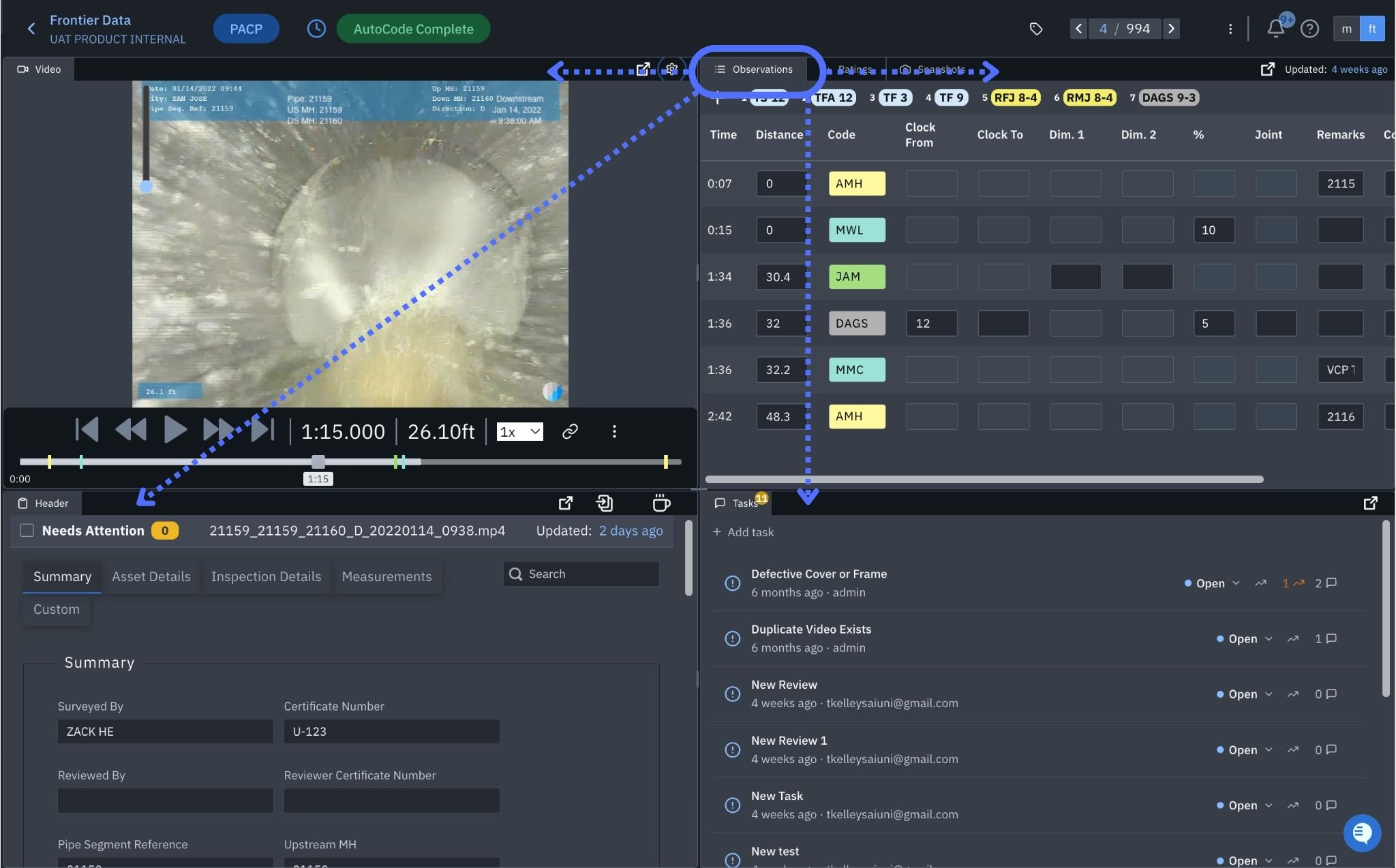
This allows you to place video, maps, observations, and inspection details where they are easiest for you to review.
Resize Panels
You can adjust the width and height of panels to focus on the information that matters most.
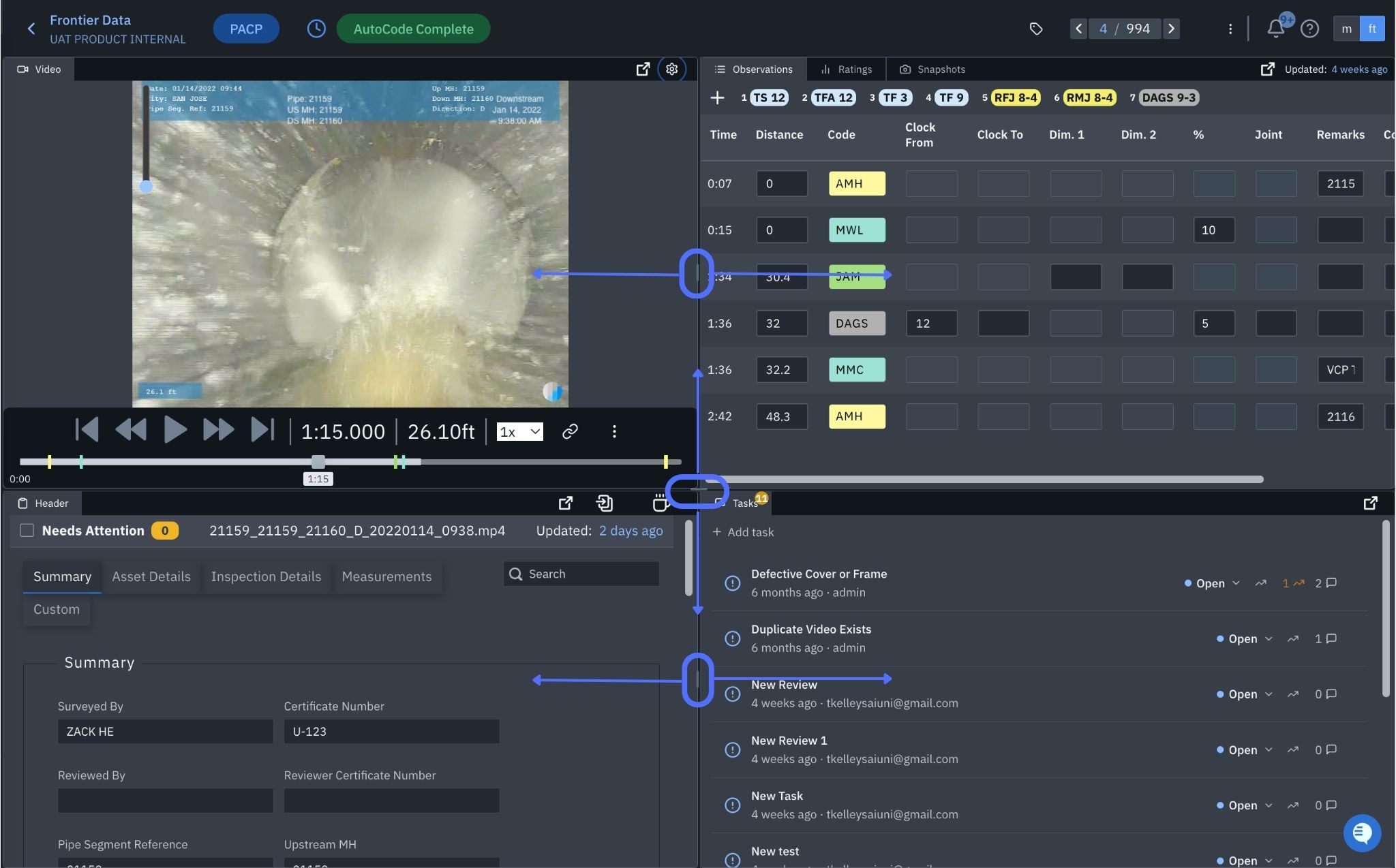
For example, you may want to make the video larger during detailed review or expand the observations panel when auditing defects.
Open Panels in Separate Windows
Panels can be opened in their own window for side-by-side review or use across multiple monitors.
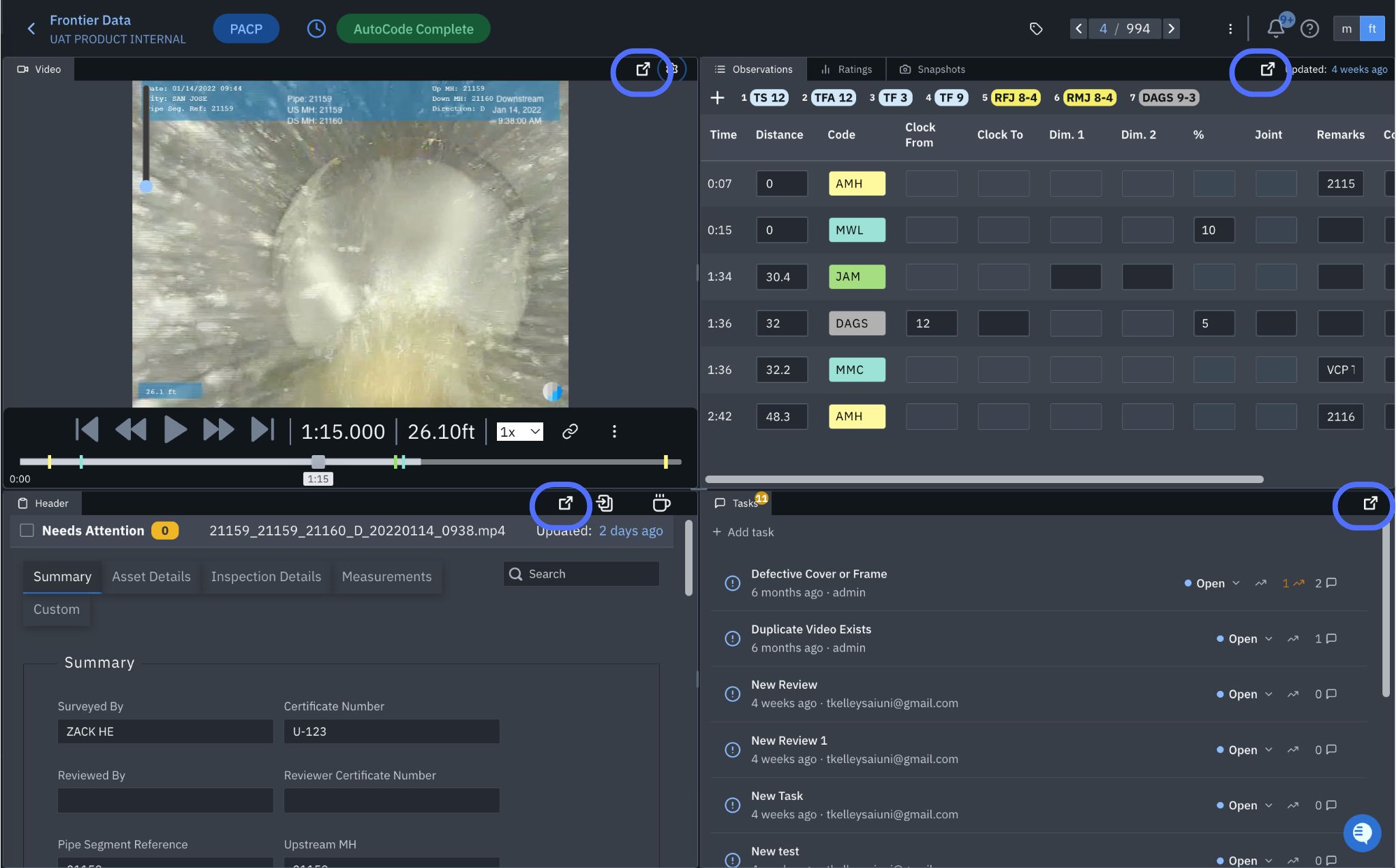
This is useful when comparing inspection data, reviewing reports, or working with maps on a second screen.
Layout Preferences Are Saved Automatically
Once you create a layout you like, Pioneer automatically saves your workspace preferences.
Your layout is saved separately for each inspection type:
PACP
LACP
MACP
This means you can create different layouts depending on how you typically review each type of inspection.
Reset to Default Layout
If needed, you can return to the original Pioneer layout at any time.
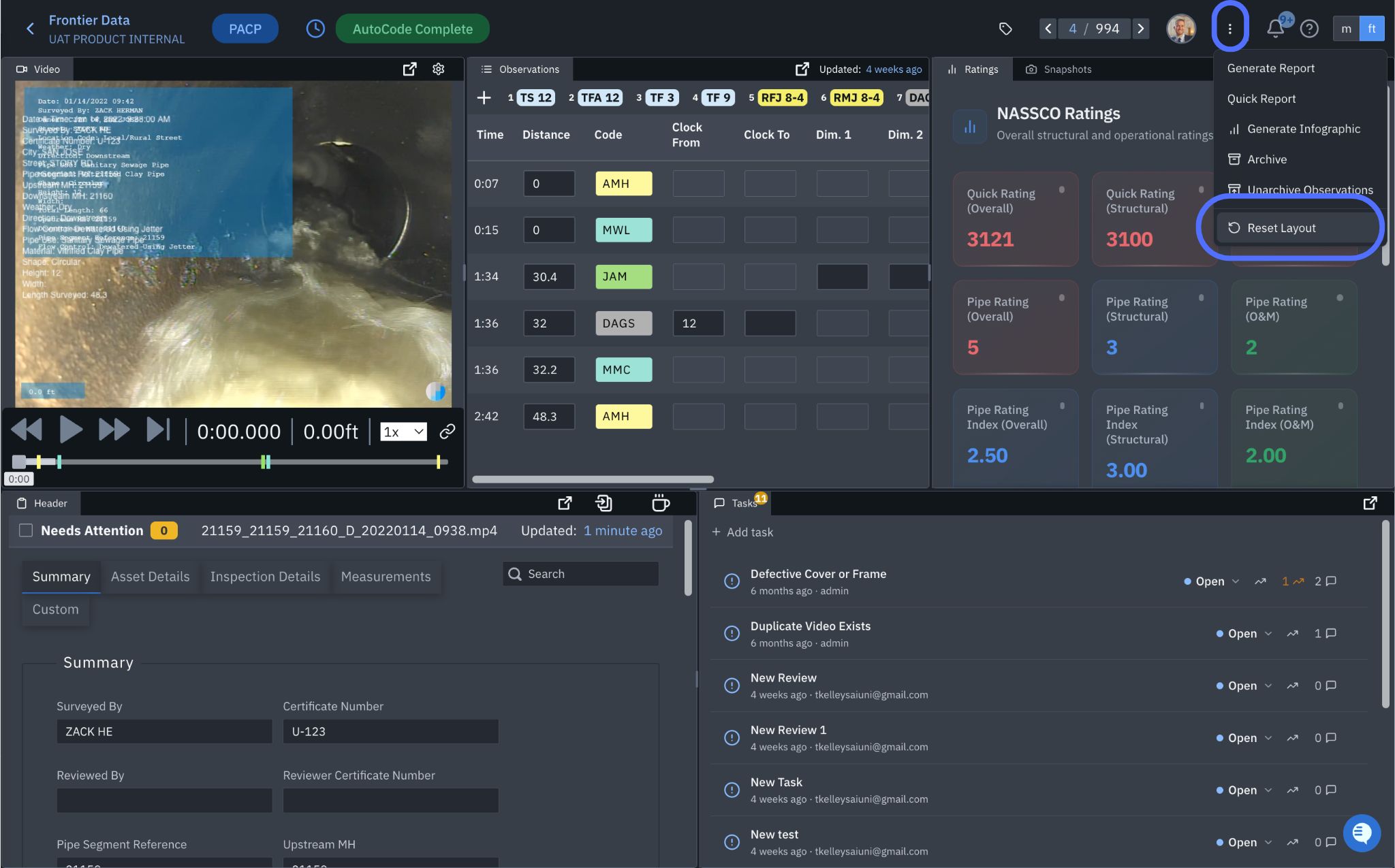
This allows you to experiment with different setups without worrying about losing the default view.
Custom Video Overlays
You can apply customizable overlays to inspection video to highlight key inspection information.
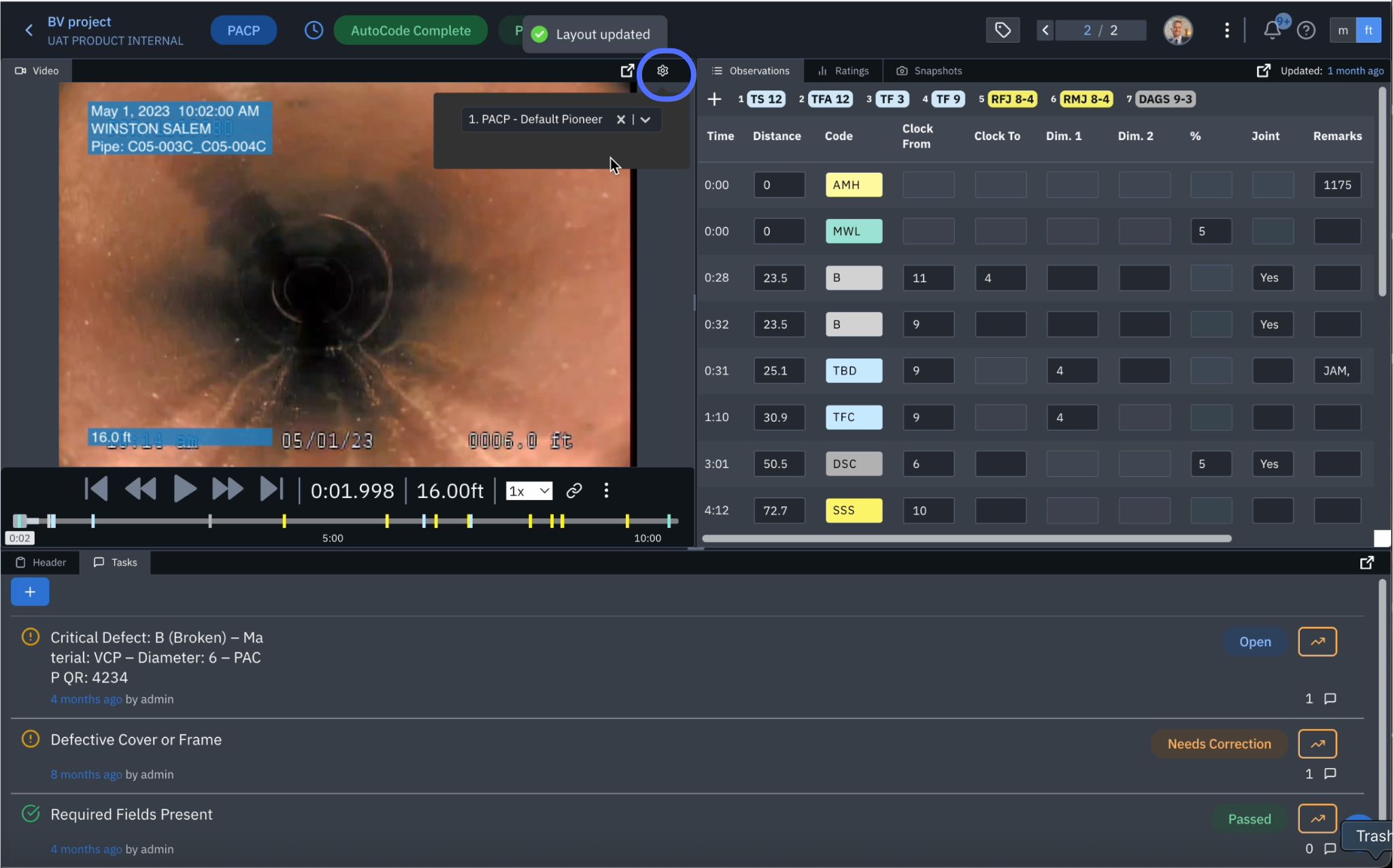
Overlays help make review clearer and support sharing findings with teams or customers.