Utilizing Business Intelligence Dashboards in PIONEER
Last updated: January 28, 2025
Overview of the Dashboards
SewerAI's Business Intelligence Dashboards allow you to track, analyze, and optimize inspection operations.
Key features include three intuitive dashboards, predefined charts, filters, and data tables to uncover trends and streamline productivity without additional tools or manual intervention.
Expected Outcomes
Teams will consistently use the dashboards to monitor and improve productivity.
Project leaders and executives will make data-driven decisions with confidence.
Organizations will see improved efficiency and profitability with more timely project completion
Dashboards Breakdown
1. Operator Productivity Dashboard
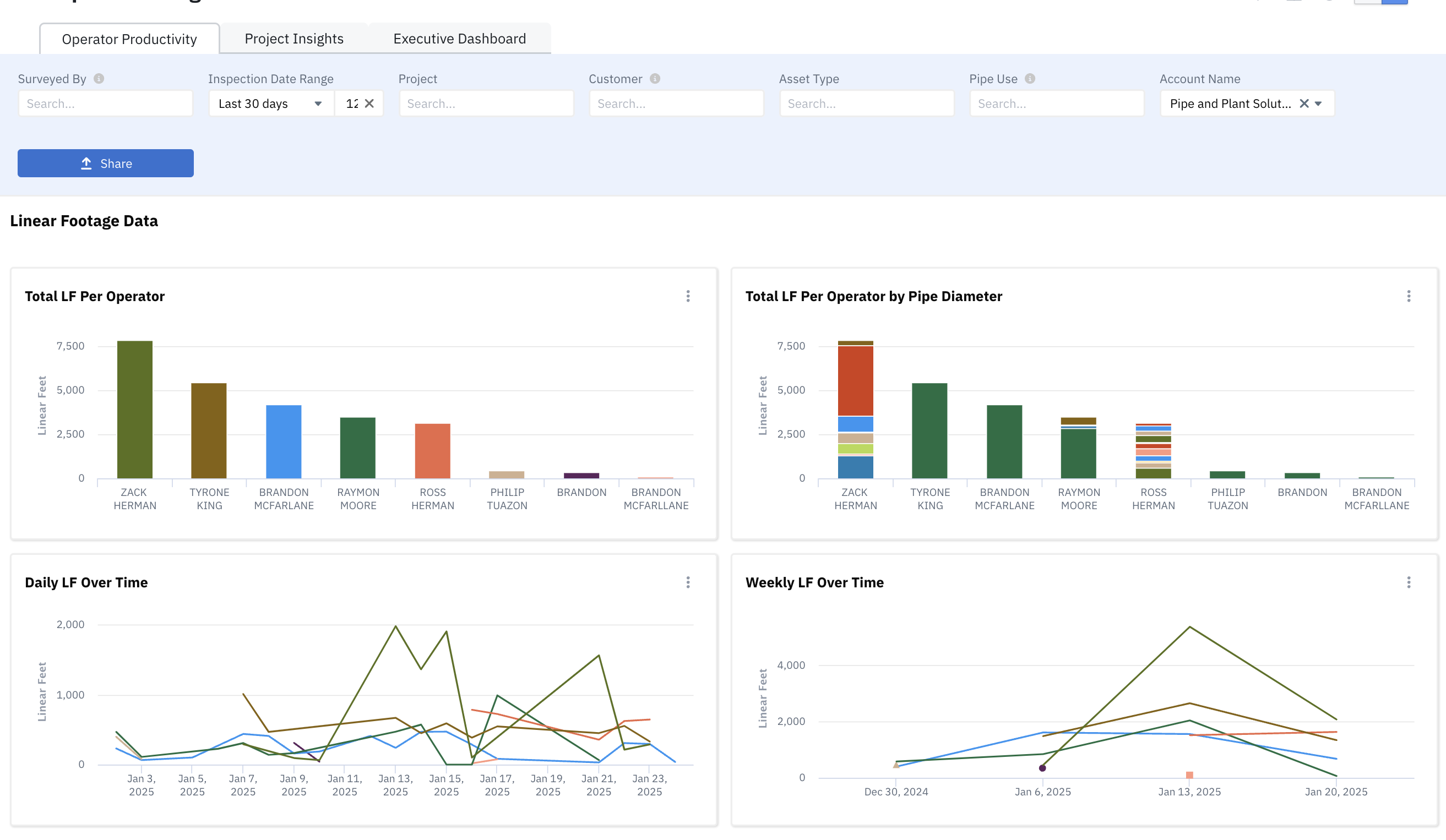
Purpose: Gain detailed insights into team performance.
Key Metrics:
Total linear footage inspected daily and weekly.
Trends over time.
Inspection counts by type.
Time spent per inspection using Pioneer on Truck.
2. Project Performance Dashboard
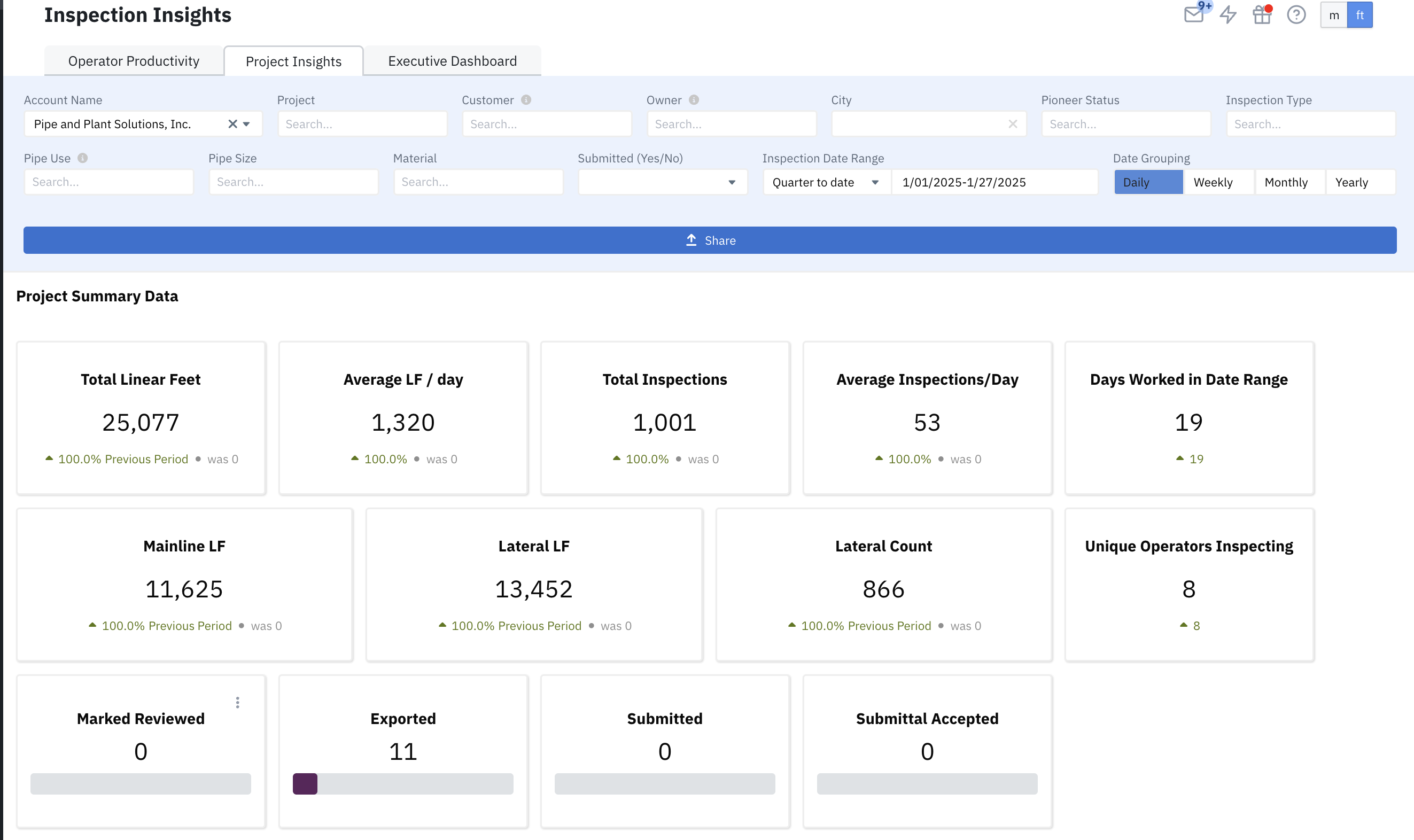
Purpose: Monitor and analyze the overall progress and performance of projects.
Key Metrics:
Project summary data.
Production trends.
Breakdowns by mainline and lateral footage.
Usage Tips:
Use filters to assess project status (e.g., ensuring a project is on track for completion).
Filter by customer to estimate expected invoices for the current month.
3. Executive Dashboard
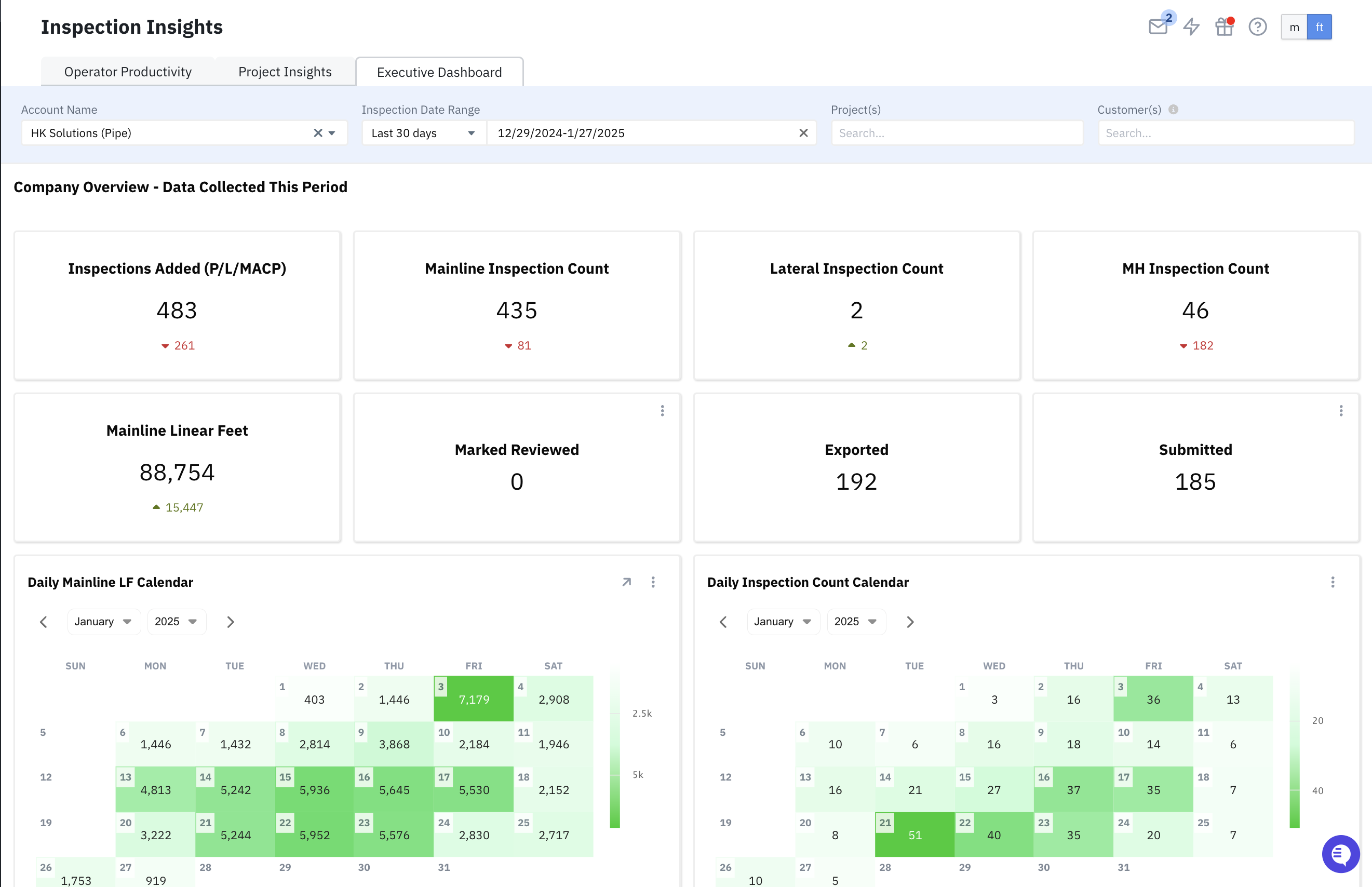
Purpose: Provide a high-level view of overall operations.
Key Metrics:
Inspection counts.
Reviewed footage.
Calendar views for daily progress.
Additional Features
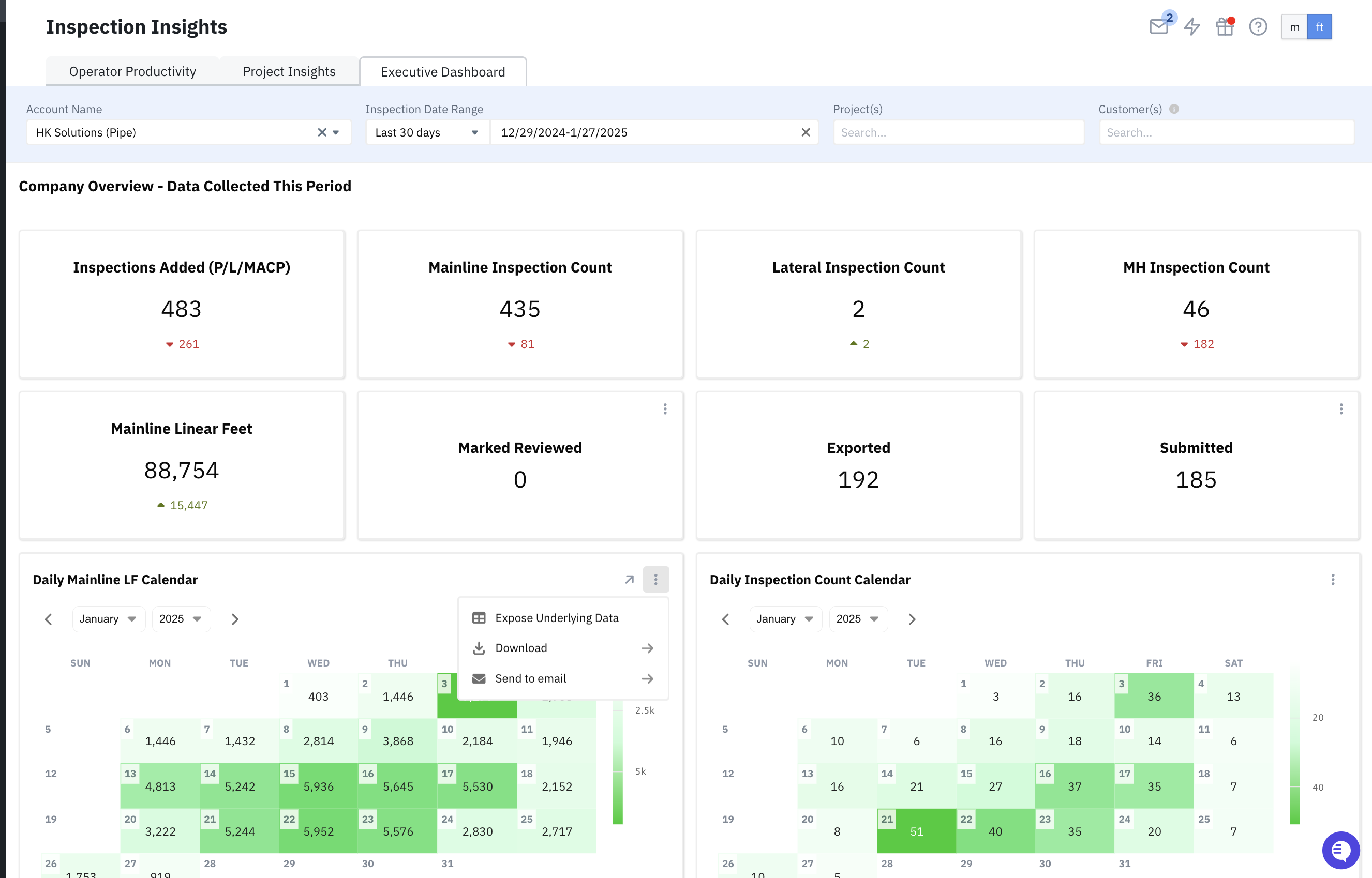
View and Download Underlying Chart Data
to View underlying data for any chart
Click the "3 dots" in the top right of the chart tile
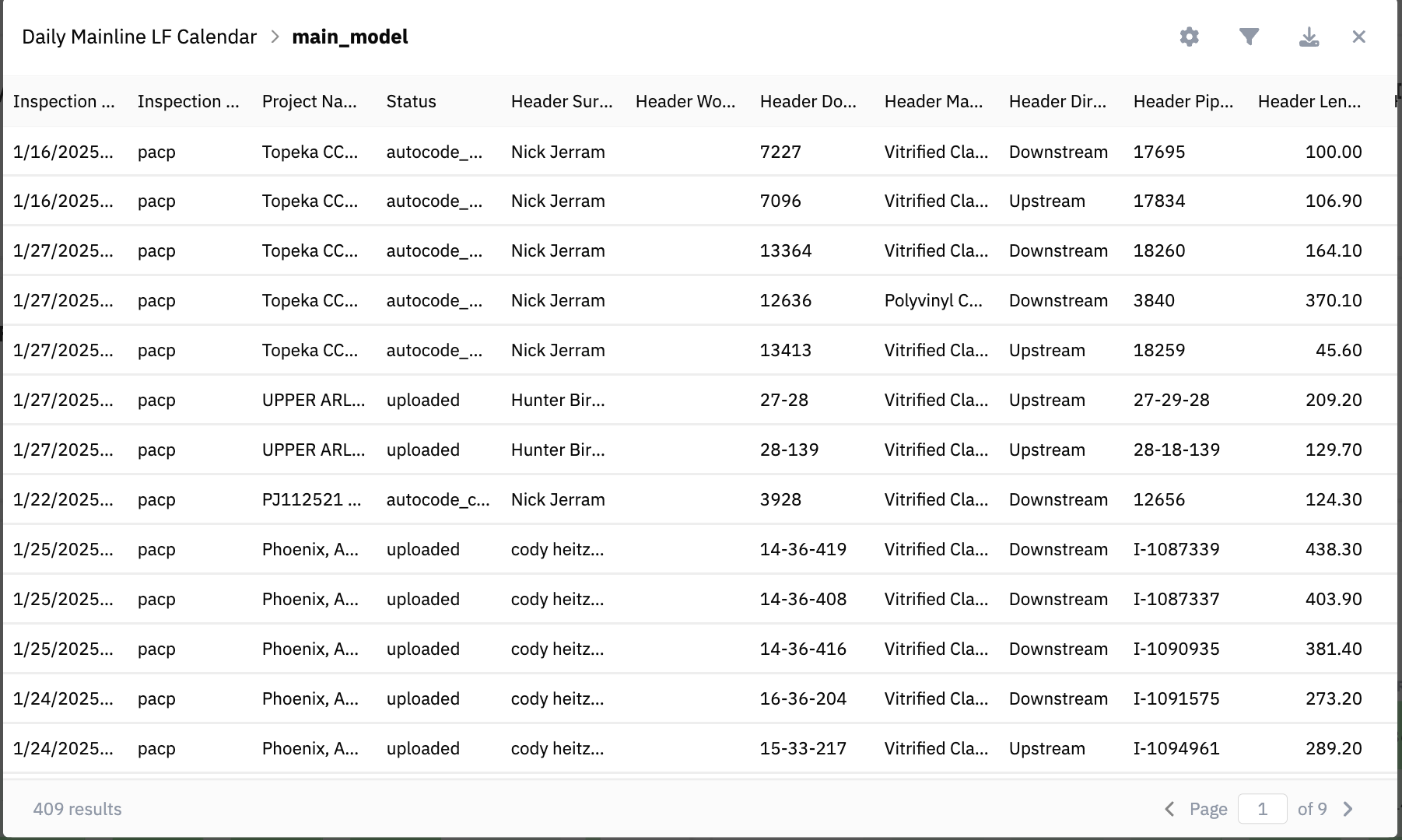
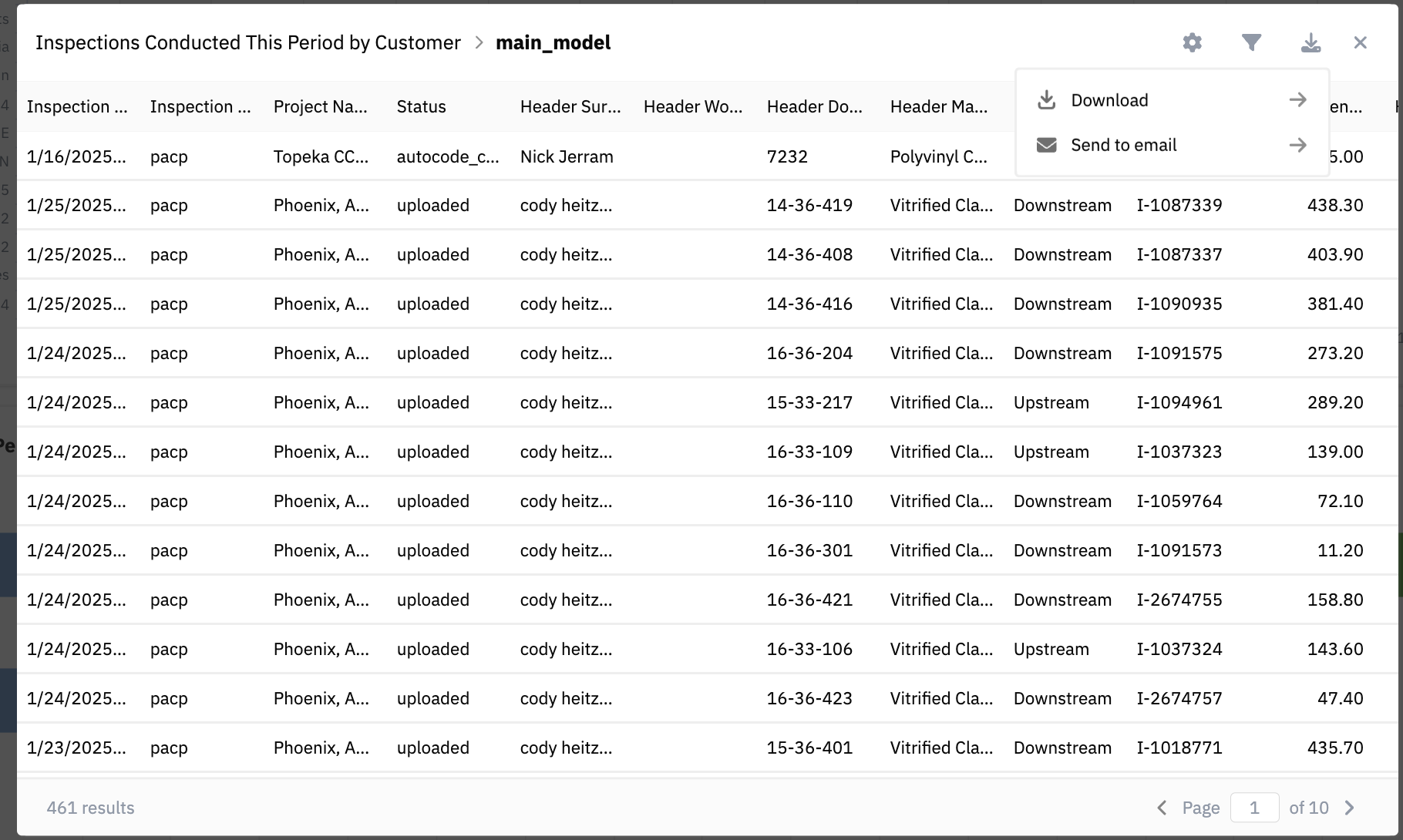
Example of underlying data
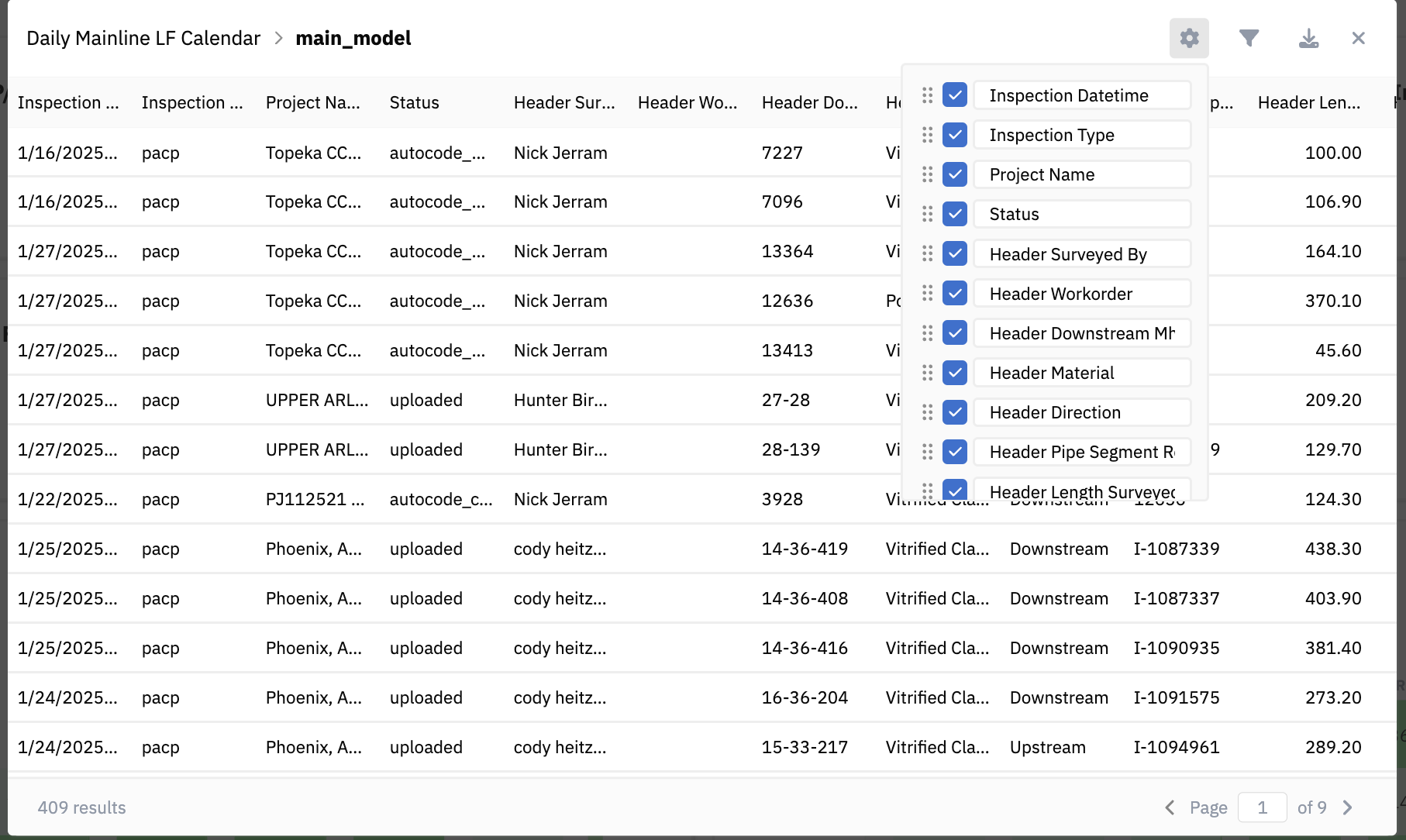
Click Gear Icon to customize visible columns
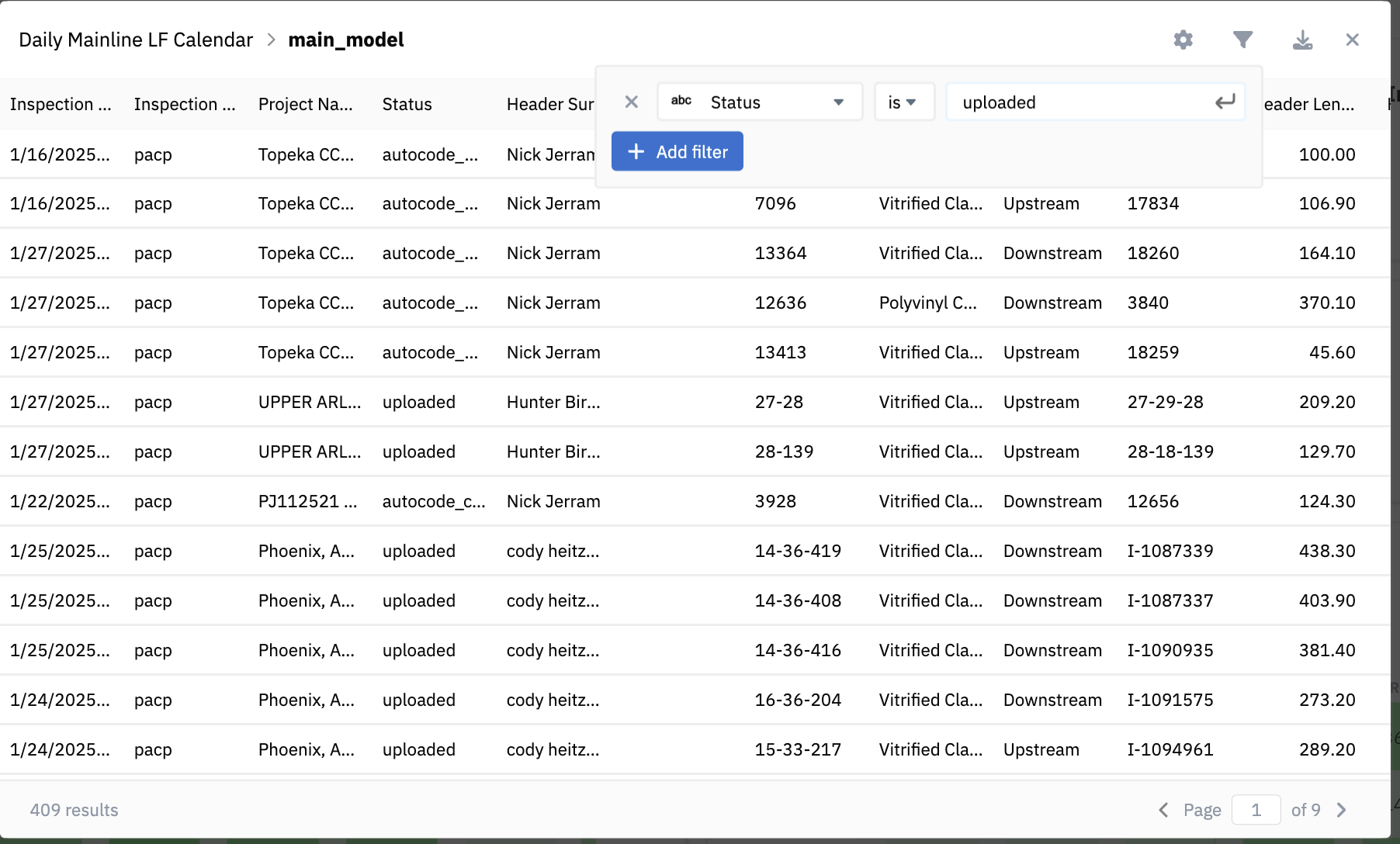
Click additional filter icon to create a filter view of your data
Click the download icon on the underlying data table to download data as CSV or Excel, or Send via email as CSV or Excel file.
Share Chart Data
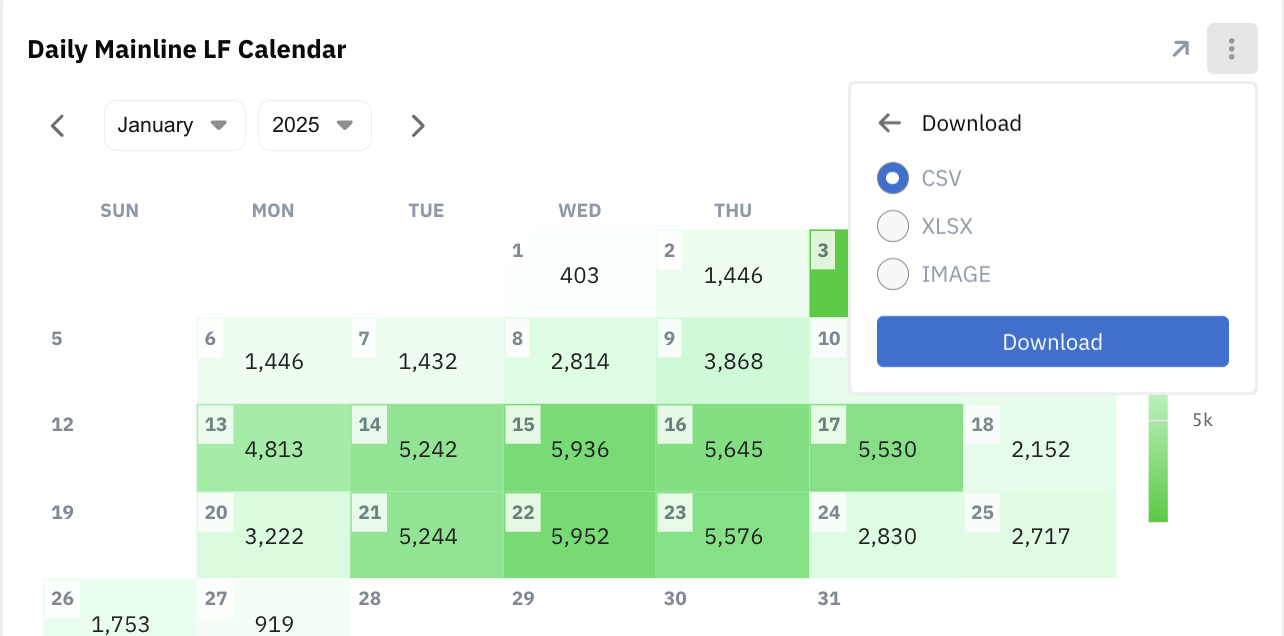
Download Charts as
CSV
XLSX
Image
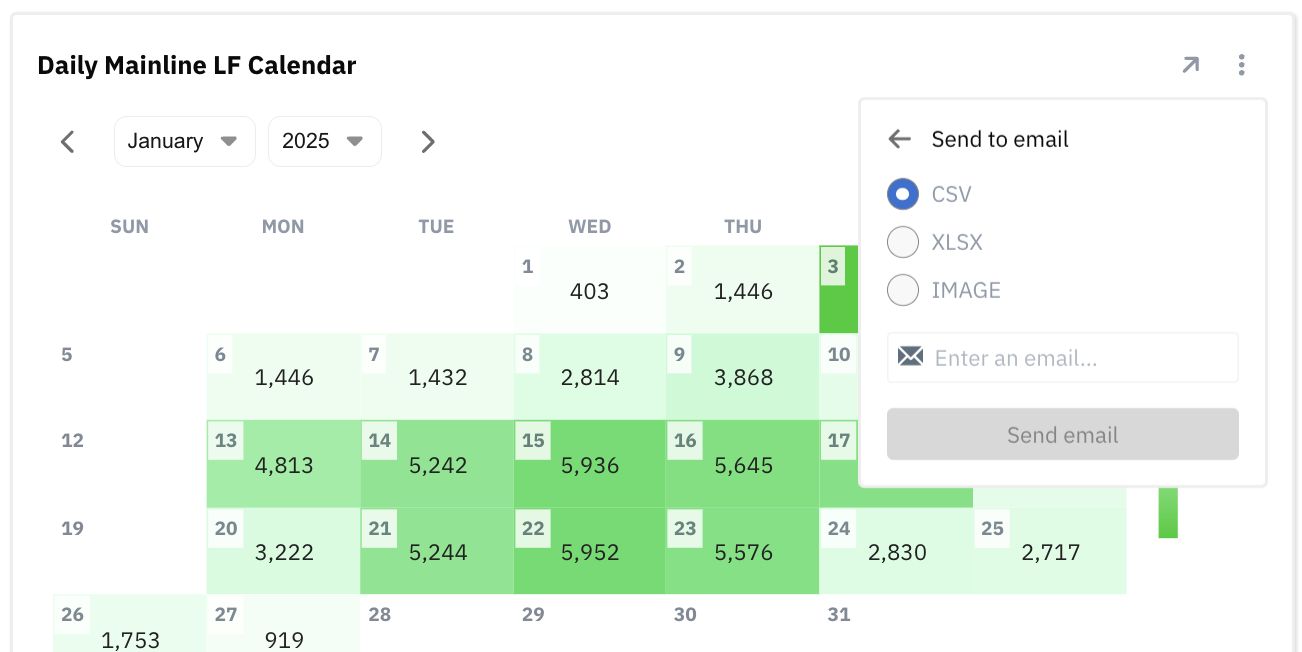
Send Charts via email as
CSV
XLSX
Image
Request Additional Charts
If you would like a specific chart added to the Dashboards, please reach out to our Customer Success team at support@sewerai.com or via chat.
If your request is feasible, we will create the chart for you and add it to the "My Chart Library," conveniently located at the bottom of each dashboard.