"How We Calculate Risk" - our Default Risk Recipe
Last updated: November 13, 2026
PIONEER calculates Likelihood of Failure (LoF), Consequence of Failure (CoF) and Total Risk using the selected risk recipe. This guide describes the default pipe recipe. Custom recipes, earlier saved recipes and manhole recipes can produce different results.
The Default Pipe Formula
The default pipe recipe combines 70% Likelihood of Failure with 30% Consequence of Failure to calculate Total Risk.
The PIONEER AI Recommendations and PIONEER Decision Tree defaults use the same scoring formula. Their recommendation engines differ. A risk score ranks assets for planning; it is not a calibrated percentage probability of failure.
Likelihood of Failure
The default LoF calculation converts each contributing input to a factor score, then combines those scores with the following weights:
Factor | Default LoF weight |
|---|---|
NASSCO LoF | 70% |
PIONEER Structural Benchmark | 10% |
Age | 10% |
Diameter | 4% |
Depth | 2% |
Length | 2% |
Material | 2% |
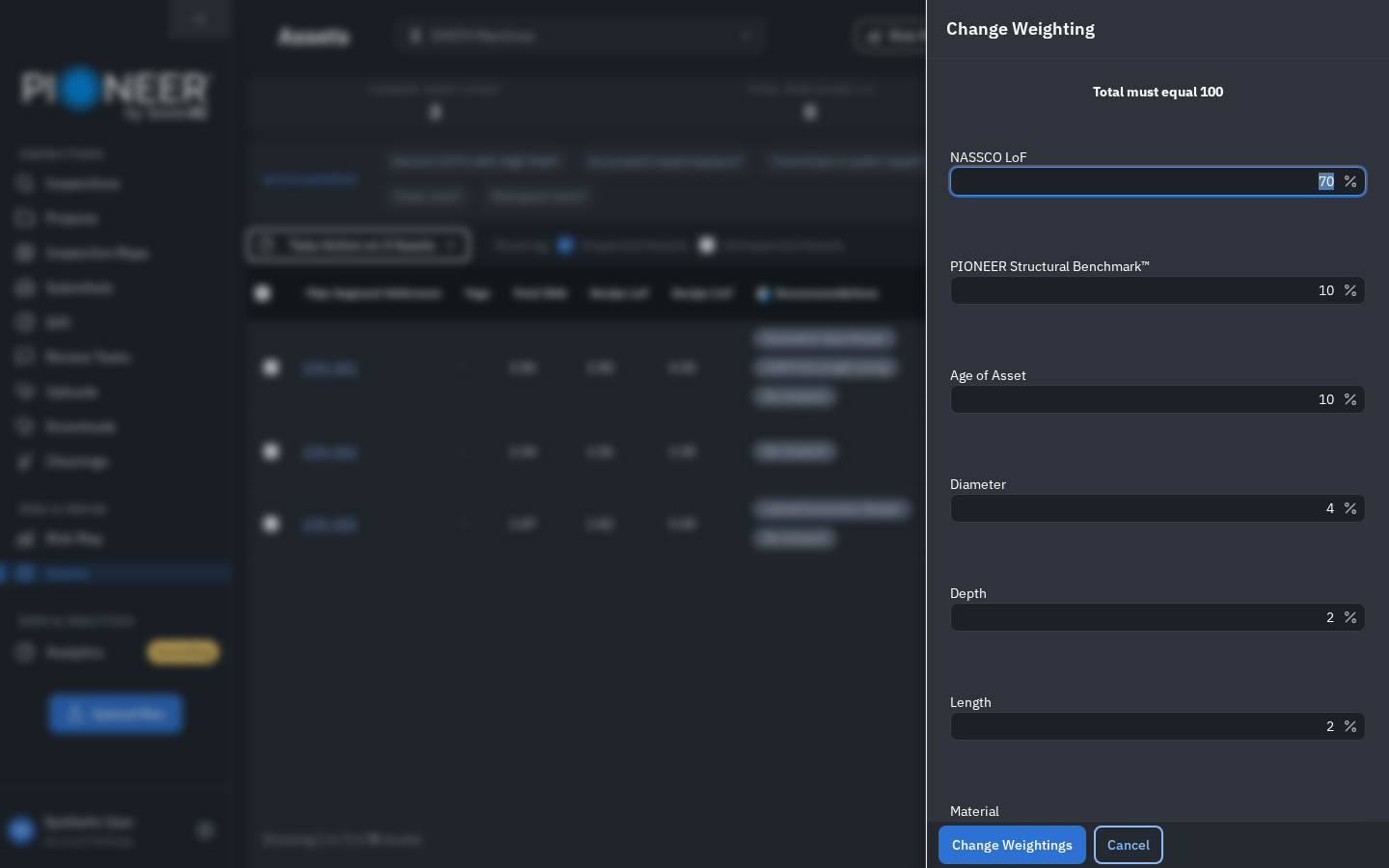
LoF factor-weight controls. These percentages are within LoF, not the overall LoF/CoF split. Illustrative data.
These percentages are weights within LoF, not percentages of Total Risk. For example, the NASSCO factor has a 70% weight within the LoF component, which itself contributes 70% of the default Total Risk.
The raw inspection LoF and its normalized risk-factor score are different values. Raw NASSCO LoF can exceed 5; the default recipe places it into a 1–5 scoring range. Structural Benchmark is a separate comparative input.
The recipe's missing-value settings affect which factors contribute. When a factor is ignored because it has no score, the remaining contributing weights are rescaled. Missing information and a recorded zero are different; check the available data before interpreting an asset's score.
Consequence of Failure
The default pipe CoF uses Use Highest Score: it takes the highest available score among school, hospital and waterbody proximity, road/rail overlap and land-use overlap.
This is not an average of those factors. Diameter is not included in the current default CoF calculation, although it can still appear among the editable factors.
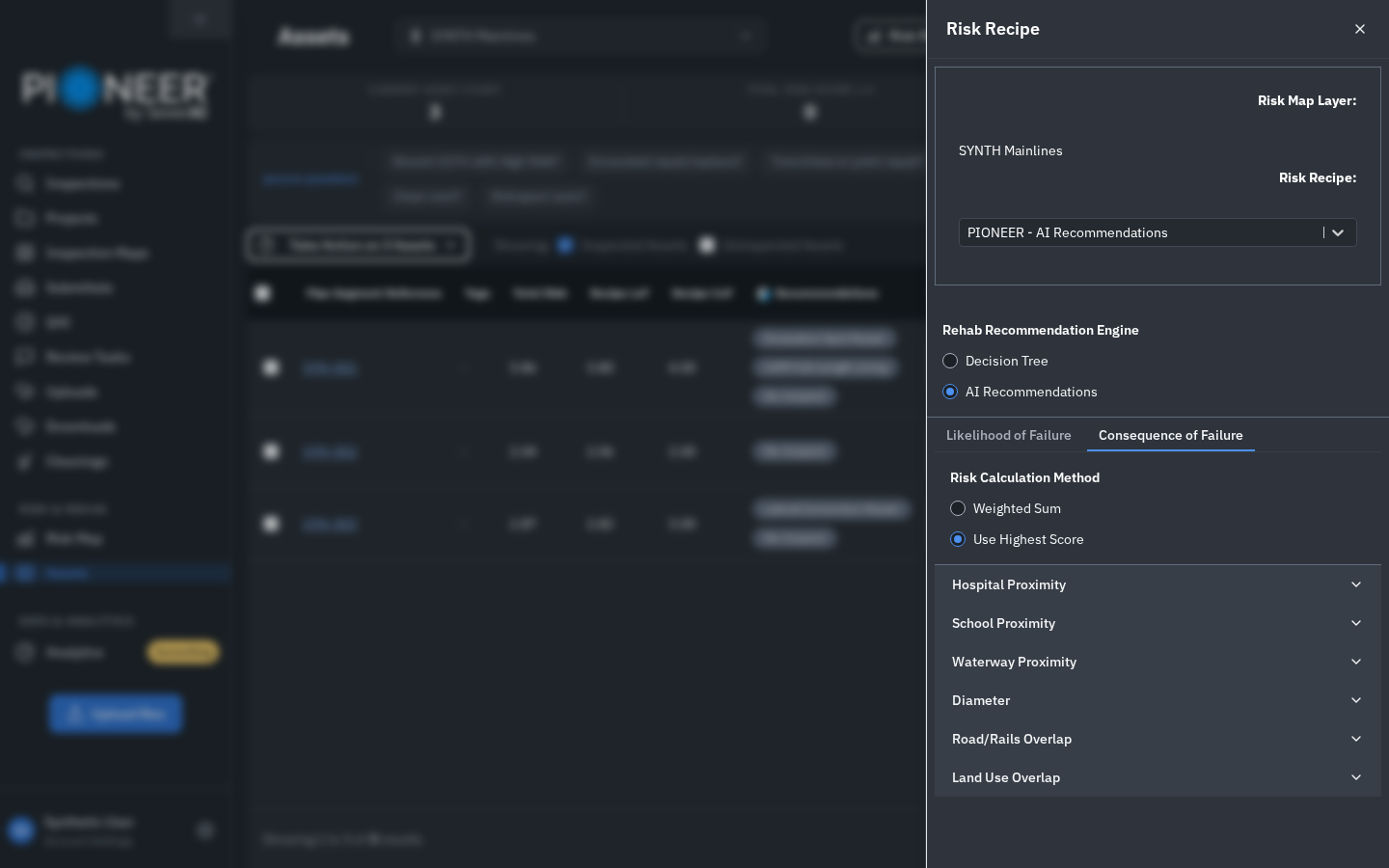
Consequence of Failure tab with Use Highest Score selected. Illustrative data.
Read the Selected Recipe Before Comparing Scores
Open Risk & Rehab > Risk Map or Assets and select the intended layer.
Open Risk Recipe and check the selected recipe name.
Review the Likelihood of Failure and Consequence of Failure tabs, their Risk Calculation Method, included factors, weights, score ranges and missing-value settings.
Confirm the selected recipe when reopening a link, switching browsers or comparing results with another user. Do not assume everyone viewing the same layer has selected the same recipe.
Custom and Saved Recipes Can Differ
The default 70/30 balance does not apply to every custom or previously saved recipe. Check which recipe you are using, and ask Support to confirm its Total Risk calculation before relying on a comparison or changing the recipe.
Editing a classic recipe requires account-level Editor or Admin access. A project-only editing role does not grant recipe-saving permission.
Risk Levels and Missing Information
Asset Detail displays numeric scores to two decimal places. Map colours and risk-level filters use the score rounded up to the next whole-number level. For example, 3.01 belongs to level 4, High Risk. Empty or nonpositive values appear as Not Available or 0.
Check the selected recipe and source data before treating a low or unavailable score as evidence of low risk. Ask Support about unexpected results rather than changing GIS values solely to force a desired score.
Manholes, Flexible Risk and Recommendations
The manhole default uses MACP and manhole-specific factors. The pipe factor table above should not be transferred to manholes. See Risk & Rehab for Manholes.
Flexible Risk preview: eligible users have an Engine Setup Assistant and draft/published recipe versions instead of the classic drawer. Availability is limited, and migrated recipes can retain their existing formulas. See Risk, Your Way or contact your account team.
Recommended actions are a separate output. A risk score is not itself a repair instruction. See Recommended Action Meanings.
Background Reading
Factors Influencing the Condition of Sewer Pipes: State-of-the-Art Review is background research, not documentation of the effective recipe on your account.
Still Need Help?
Use the chat widget in PIONEER to contact Support. If you cannot access it, email help@sewerai.com.